Knowing your API rate limits helps you plan your calls and avoid running out. Here's a quick guide to how Reply's API limits work and how you can check your usage.
Reply has two sets of API limits:
-
API v1 and v2 (and the Zapier, Make and Segment integrations) have a monthly limit and short-term limits;
-
API v3 has short-term limits only, with no monthly limit.
API v1 and v2
Monthly limit
-
Monthly Limit: 15,000 API calls per calendar month. The counter resets on the 1st of each month (UTC).
-
This applies to Reply's Public API (v1 and v2) and to the Zapier, Make and Segment integrations.
-
Calls to API v3 don't count toward this limit.
-
Calls from native integrations don't count toward this limit.
-
When you reach the monthly limit, the API returns error 400 with the message Api-requests limit reached.
Short-term limits
On top of the monthly limit, API v1 and API v2 each have their own short-term limits. Each user can make up to:
-
100 requests per minute;
-
3,000 requests per hour;
-
150,000 requests per week (a rolling 7 days).
API v1 and API v2 are counted separately. If you go over one of these limits, the API returns error 429.
Team accounts
In team accounts, API limits are not shared, so each team member has their own allocation of 15,000 calls per month. This helps distribute resources effectively and prevents bottlenecks.
Checking your API usage
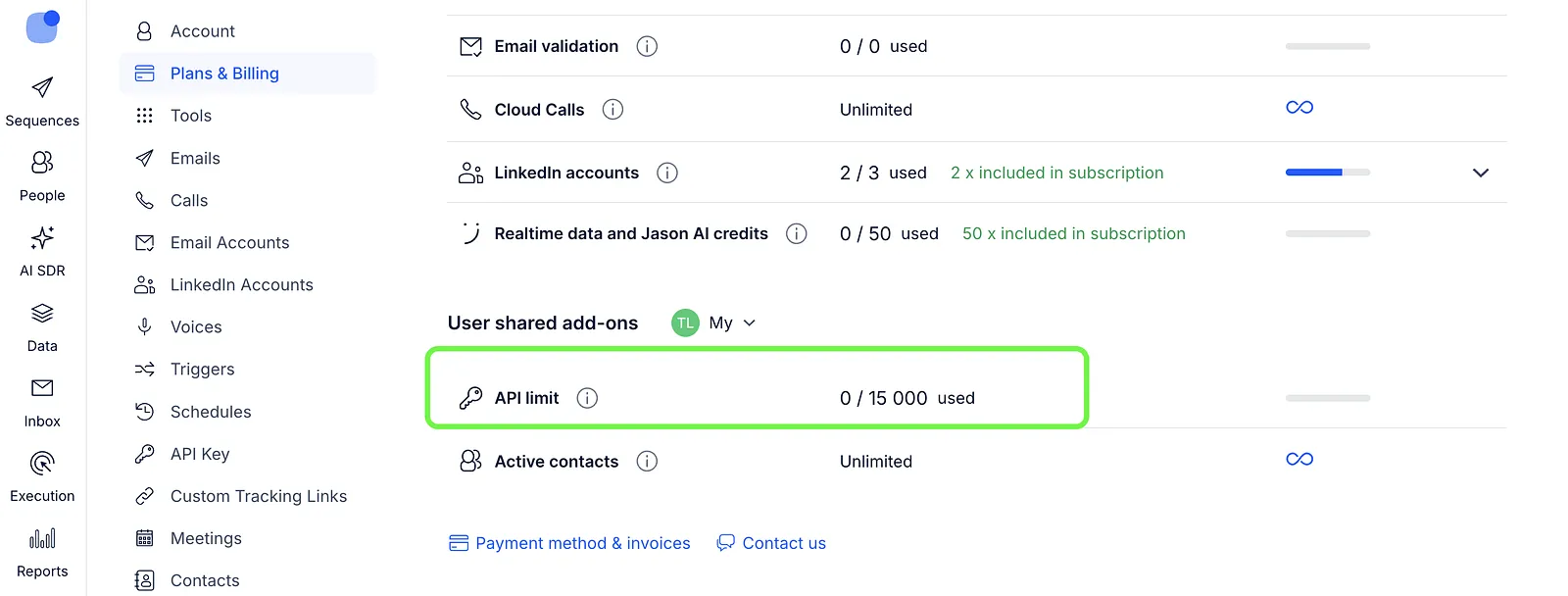
To see how many API calls you've used, go to the Plans & Billing page, scroll down to the User shared add-ons, and check the API limit counter. Remember, your API limit resets on the first of each month.
Need more API calls?
If you need a higher limit, please reach out to our support team through the Reply interface to request an adjustment.
API v3
API v3 has no monthly limit. Instead, each user can make up to:
-
100 requests per minute;
-
3,000 requests per hour;
-
150,000 requests per week (a rolling 7 days, not a calendar week).
💡 Reporting and sequence statistics endpoints have lower hourly and weekly limits, so they can reach their limit before the general one.
The limits are per user: all apps, scripts and services that call the API for the same user share them. If you go over a limit, the API returns error 429 with a Retry-After header that tells you when to try again.
To see your current usage and when each limit resets, call GET /v3/rate-limits.
Need higher API v3 limits?
You can raise your API v3 limits with API rate limit packages. A package costs $10 per month and adds your plan's API v3 limits once more for the user who claims it. For example, one package doubles that user's limits to 200 requests per minute, 6,000 per hour and 300,000 per week, and two packages triple them.
💡 Packages raise API v3 limits only. They don't change the monthly limit for API v1 and v2.
Packages are bought by the team owner and go into a shared pool for your organization. Each user then claims packages from the pool for their own account.
To buy packages (team owner):
-
Go to the Plans & Billing page;
-
Under Team shared add-ons, open API limit packages and choose how many packages you need.

If your team has no packages yet, you can also start from Settings → API keys → API rate limit packages → Buy packages.
To claim packages for your account:
-
Go to Settings → API keys;
-
Hit API rate limit packages at the top of the page. You'll see how many packages your organization has and how many are still available;
-
Next to Your packages, hit + to add a package (or - to give one back to the pool);
-
Hit Save. Your new limits apply within about 30 seconds.
💡 A team owner can't remove packages that team members have claimed. Ask them to give their packages back first.
Read more in the API documentation: