Automatically call prospects when they reach a specific number of tracked email opens. This feature helps you follow up with prospects who show repeated engagement with your emails while their interest is still fresh.
How it works
When a prospect reaches the selected number of tracked email opens, Reply can initiate a bridge-call attempt during the sequence's scheduled hours.
The call flow works as follows:
- Reply first calls the sequence owner's profile phone number.
- Reply announces the sequence and the prospect.
- Press 1 to connect to the prospect, or 0 to decline.
- If you do not respond, Reply does not call the prospect.
After a successful automatic call, Reply does not trigger another automatic call for the same prospect in the same sequence.
💡Automatic calls are triggered by tracked email opens. Open tracking can be affected by image blocking, spam-folder behavior, privacy protections, and email-client proxying. An email open should therefore be treated as a directional engagement signal rather than confirmed human interest.
Before you start
Make sure the following requirements are met:
- Cloud Calls is enabled for your team.
- Open tracking is enabled for the sequence.
- Plain Text Mode is turned off. Plain-text emails do not contain the tracking pixel required to register opens.
- The sequence has a configured schedule.
- The sequence owner has:
- a valid phone number in their profile to receive the bridge-call prompt;
- a rented Reply phone number;
- at least $1 in their wallet balance before Reply attempts the call.
- The prospect has a valid phone number.
💡Open tracking is disabled by default for new sequences. Make sure it is enabled if you want Automatic calls on opens to work.
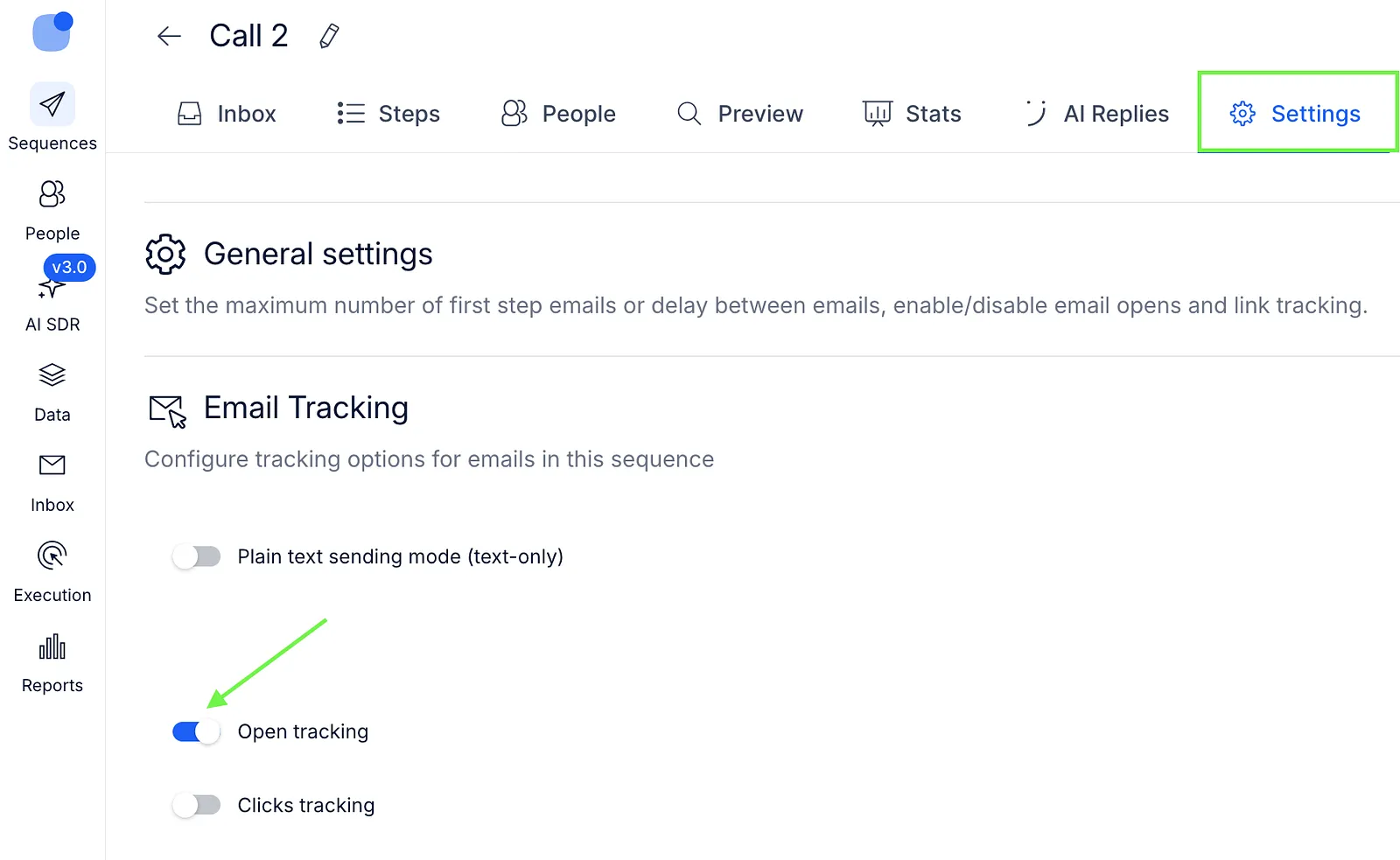
Enable Automatic calls on opens
- Open the required sequence.
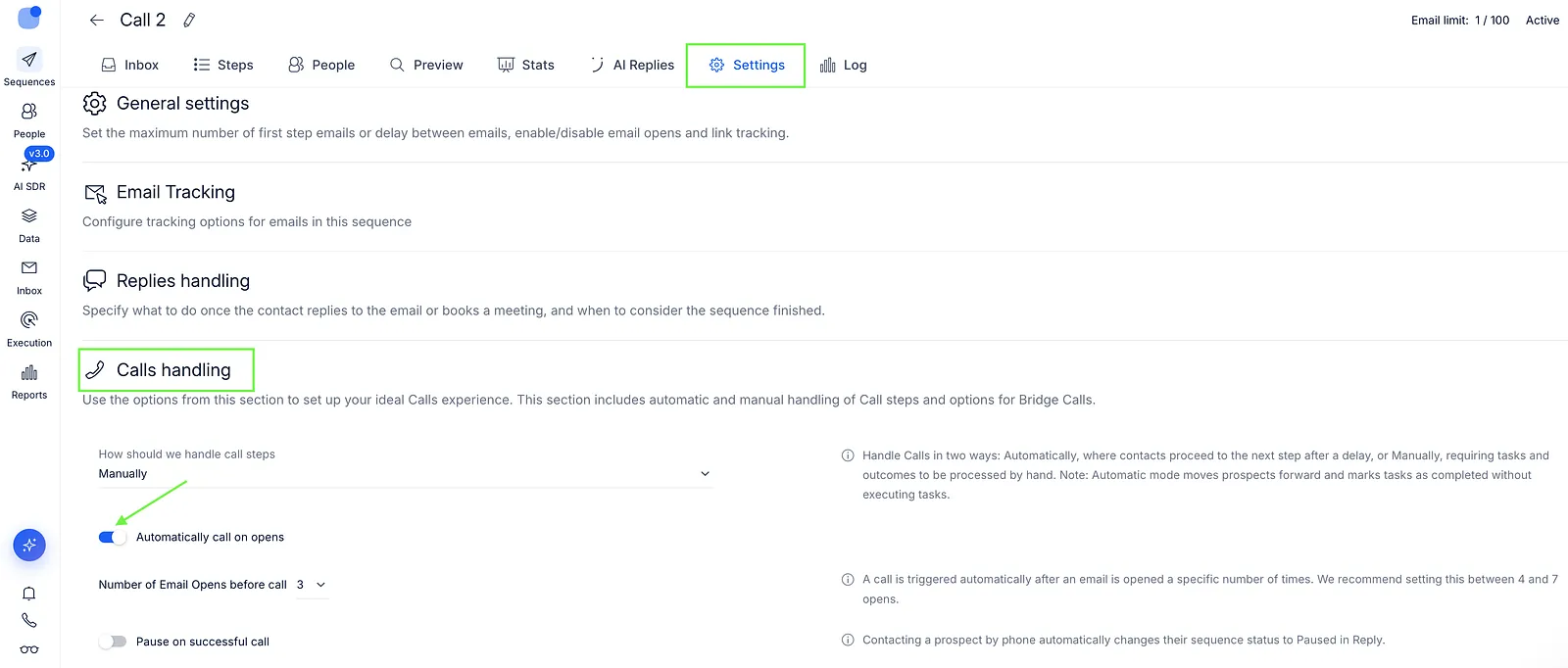
- Go to Settings → Calls handling.
- Enable Automatically call on opens.
- Under Number of Email Opens before call, select how many tracked opens should trigger an automatic call. Select a value between 3 and 10.
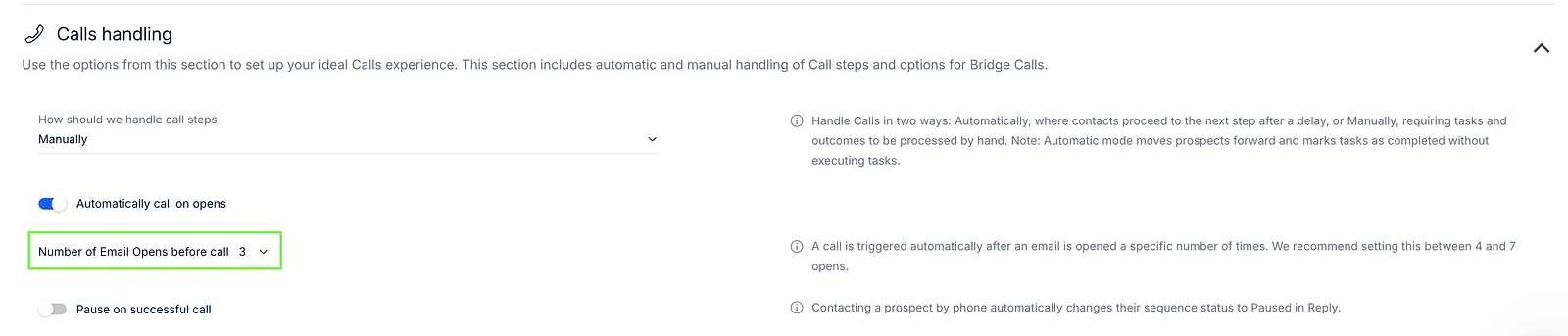 We recommend 4–7 opens as a starting point, but this is not a system requirement.
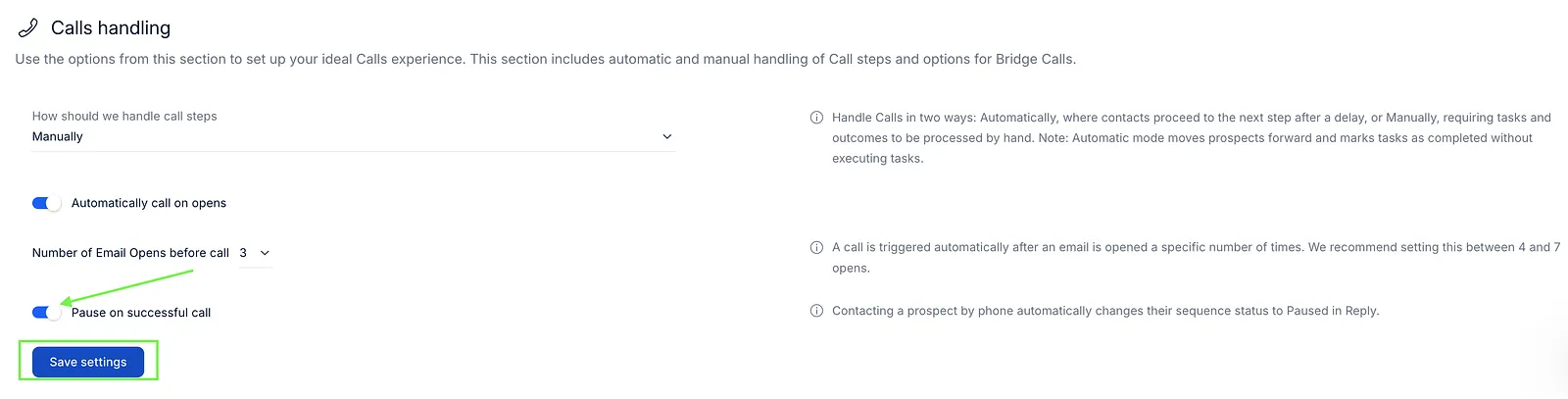
 - If needed, enable Pause on successful call. Then, save your settings.
When does Reply make the call?
Reply attempts the bridge call only during the sequence's scheduled hours.
If the qualifying open occurs outside those hours, no call is queued for the next scheduled period. A later qualifying open during scheduled hours is required to trigger another attempt.
What happens after a successful call?
By default, the prospect remains in the sequence after the call.
If Pause on successful call is enabled and the call is successfully completed, the prospect's status in this sequence changes to Paused, preventing subsequent sequence steps from being sent.
The prospect is not automatically marked as Finished.
How often can a prospect be called?
After a successful automatic call to a prospect, Reply does not trigger another automatic call for that prospect in the same sequence.
A declined, missed, or otherwise unsuccessful bridge-call attempt does not necessarily have the same final outcome. A later qualifying email open may trigger another attempt, provided all other requirements are met.