Accounts represent companies or organizations, usually grouped by domain (for example, all contacts with @company.com). Instead of adding accounts one by one, you can import them in bulk using a CSV file.
Upload a CSV file
To import accounts:
- Go to People → Accounts.
- Click New account → Import from CSV.

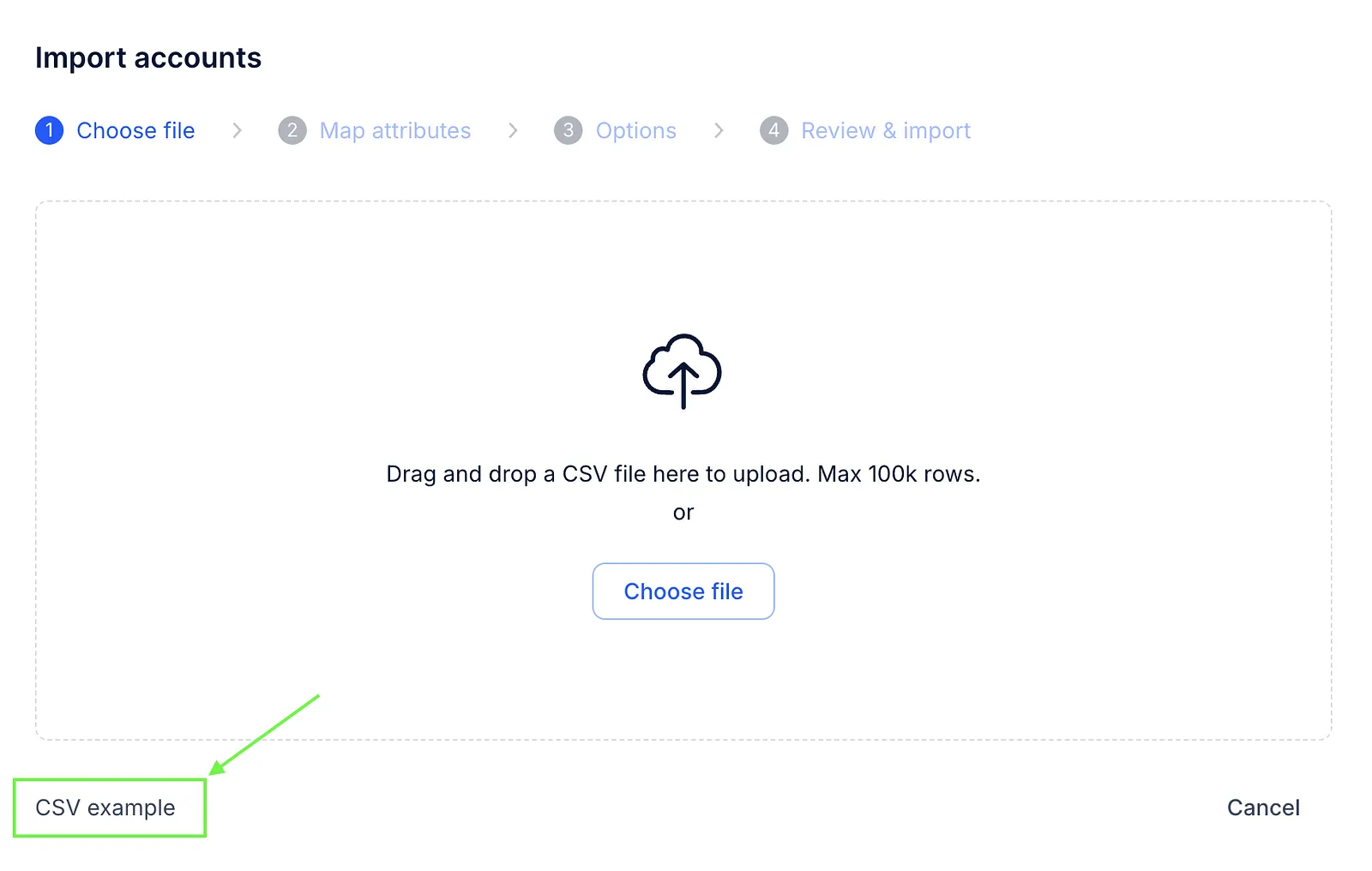
- Upload your CSV file or drag and drop it into the window. You can download a sample file using the CSV example link and fill it with your data.
- Map fields.

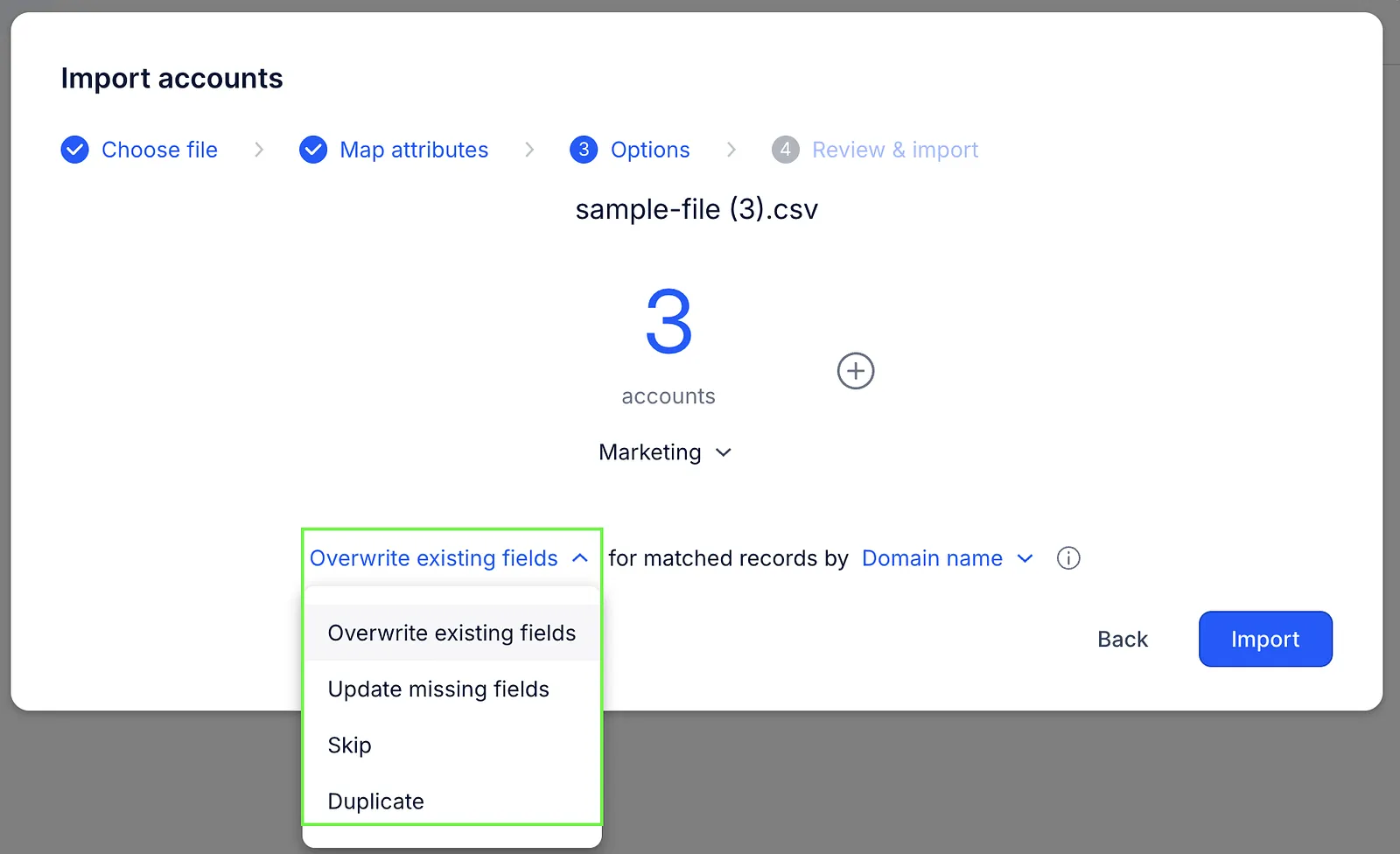
- Choose how to handle matched records. Matches can be identified by account name or domain name.
- Overwrite existing fields – replace existing data with new values
- Update missing fields – fill in empty fields only
- Skip – ignore existing accounts
- Duplicate – create new accounts without changing existing ones
- Check the summary and click Done to finish the import.
Once completed, your accounts will appear on the Accounts page.
If there are any import errors, you can download a file with details to fix them.
💡 Account name is a required field. You can upload up to 10,000 rows per file.
Supported fields
Your CSV file can include the following fields:
| Field | Description |
|---|---|
| Domain name | The main domain used by company members in their email addresses (for example, @reply.io). |
| Account name | The name of the company. |
| Domain secondary | An additional domain used by company members in their email addresses. |
| Description | Any notes or important information related to the account. |
| The company's email address. | |
| Phone number | The company's phone number. |
| Industry | The industry the company operates in. |
| Company size | Possible values: Empty, Self-Employed, 2-10, 11-50, 51-200, 201-500, 501-1000, 1001-5000, 5001-10000, 10001+ |
| LinkedIn profile | The company's LinkedIn profile. |
| Twitter profile | The company's Twitter profile. |
| Country | The country the account belongs to. |
| State | The state the account belongs to. |
| City | The city the account belongs to. |
| Custom fields | Account custom fields you create to store additional account data. |