The Accounts page lets you manage existing accounts and create new ones when needed.
How to add an account
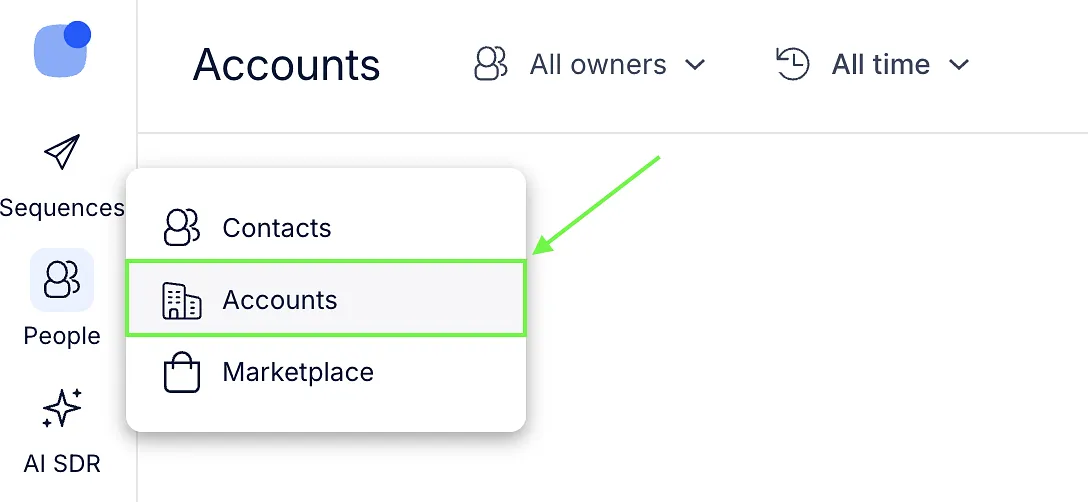
- Go to People → Accounts.
- Click New Account.
- Select Create manually.

- Fill in the account details.
- Click Save.
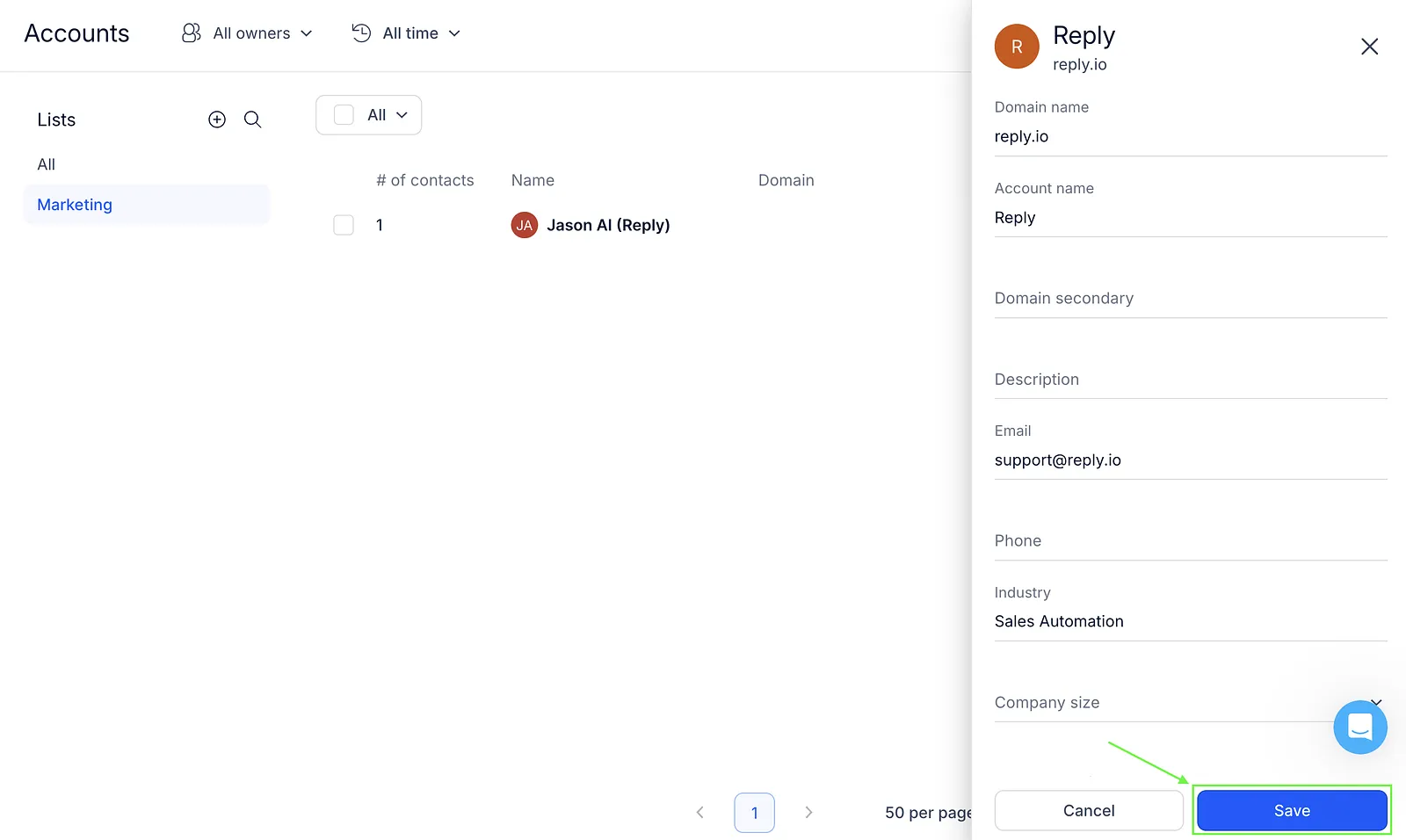
The account will appear in your Accounts list and can be edited at any time.
💡 Account name is a mandatory field.
If you need to upload accounts in bulk, see the Import accounts from CSV article.