Accounts are groups of contacts that belong to the same company or domain. Account filters help you quickly find specific accounts based on key criteria.
Default filters
You can use the default filter options at the top of the page:

- All owners – If you're in a team, filter accounts by owner.
- All time – Filter accounts by last activity date (Last Week, Last Month, Last Year, All time, Custom).
- Saved filters – Access filters you've previously created and saved.
Smart filters
In addition to default filters, you can create custom smart filters to find specific accounts. To create a smart filter for accounts:
- Go to People → Accounts.
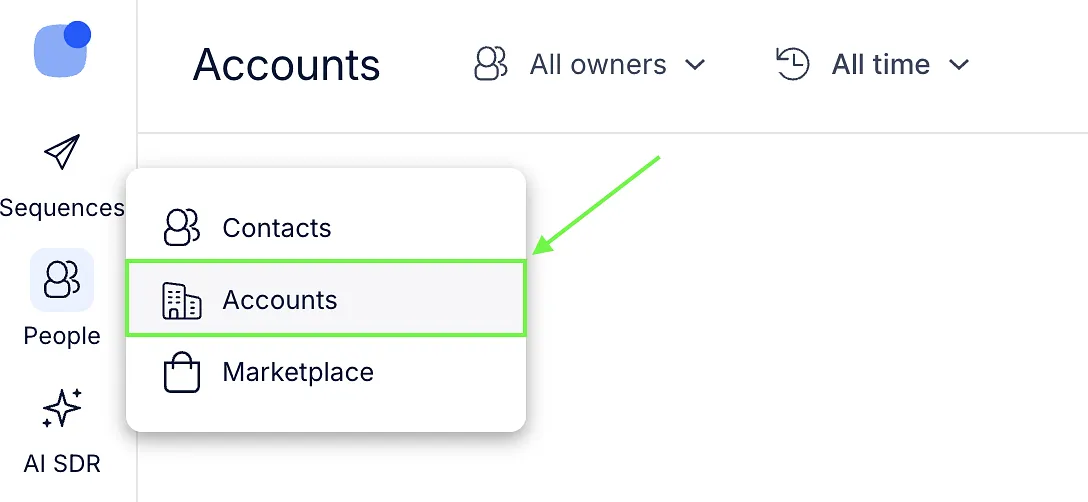
- Click the filter icon.

- Select the conditions you need.
- Click Apply or save the filter for future use.
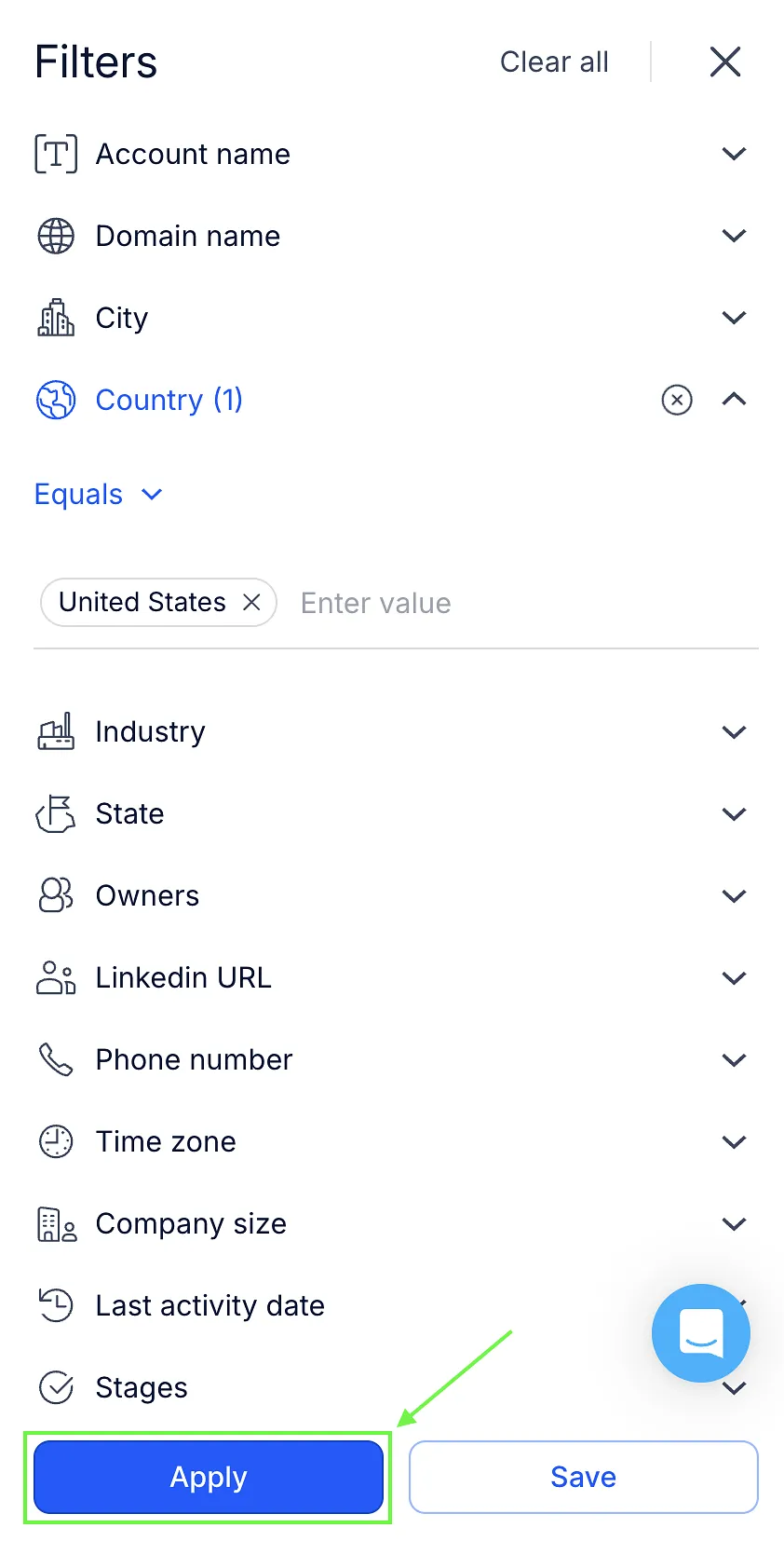
💡 Make sure to select the correct operator for your filter; otherwise, results may not be accurate:
| Equals – shows accounts that exactly match the entered value Does not equal – shows accounts that do not match the entered value Contains – shows accounts that contain the entered value Does not contain – shows accounts that do not contain the entered value None – shows accounts where the field is empty (for example, Country is blank) |
|---|
Below you can see the full list of available smart filters 👇:
| Filter | Description |
|---|---|
| Account name | Filter accounts by their account name. |
| Domain name | Filter accounts by company domain. |
| City | Filter accounts based on city. |
| Country | Filter accounts based on country. |
| Industry | Filter accounts by company industry. |
| State | Filter accounts based on state. |
| Owners | Show accounts owned by a specific Reply teammate. |
| LinkedIn URL | Filter accounts by LinkedIn company profile. |
| Phone number | Filter accounts by phone number. |
| Time zone | Filter accounts by time zone. |
| Company size | Filter accounts by number of employees. |
| Last activity date | Filter accounts based on their last activity date. |
| Stages | Filter accounts based on their account stage. |
| # of Contacts | Filter by the number of contacts assigned to an account. |
| Sequences | Filter accounts by sequences their contacts are currently participating in. |
| Custom fields | Filter accounts by the values of their custom fields. |