All your invoices are stored in your Reply account, so you can access them at any time.
To view your invoices:
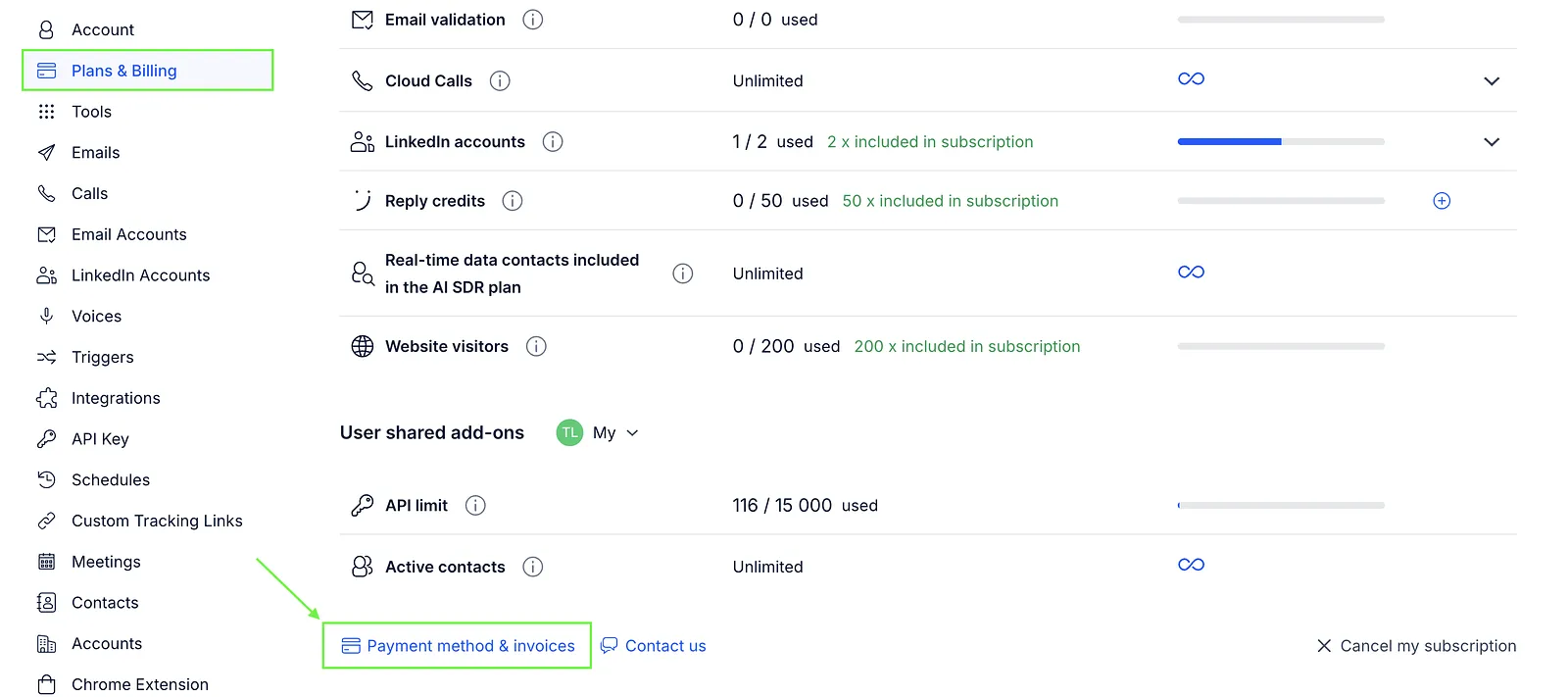
- Go to Settings → Plans & Billing.
- Open the Subscription section.
- Click Payment method & invoices.
- Click Billing History.
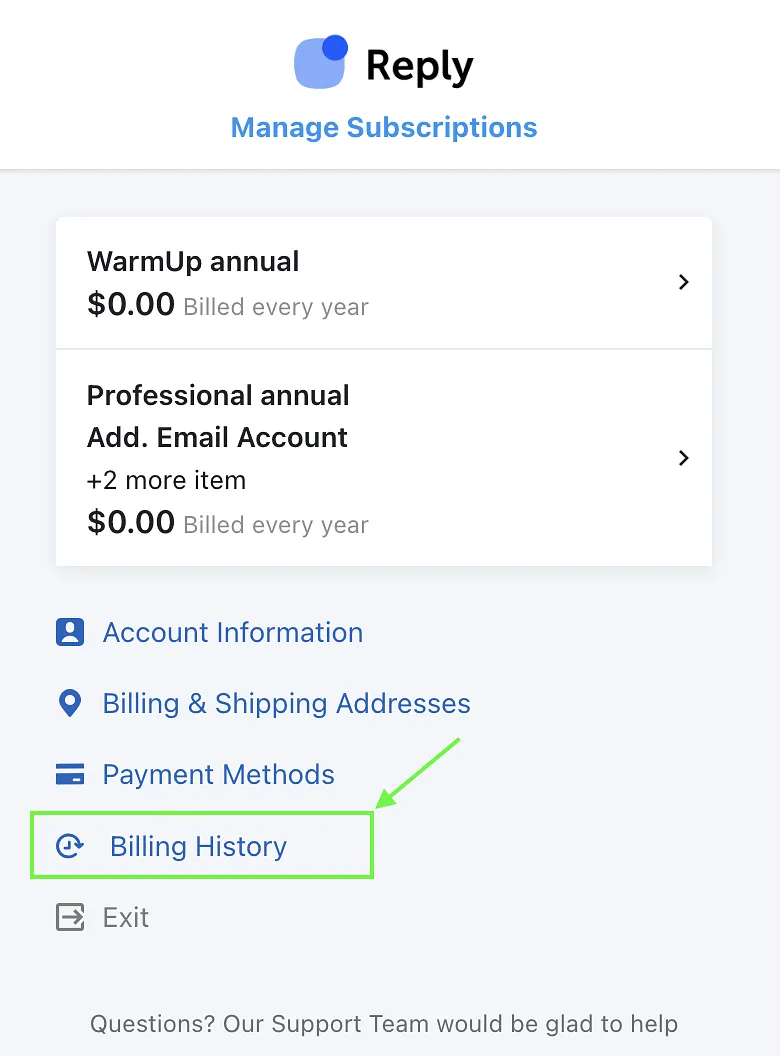
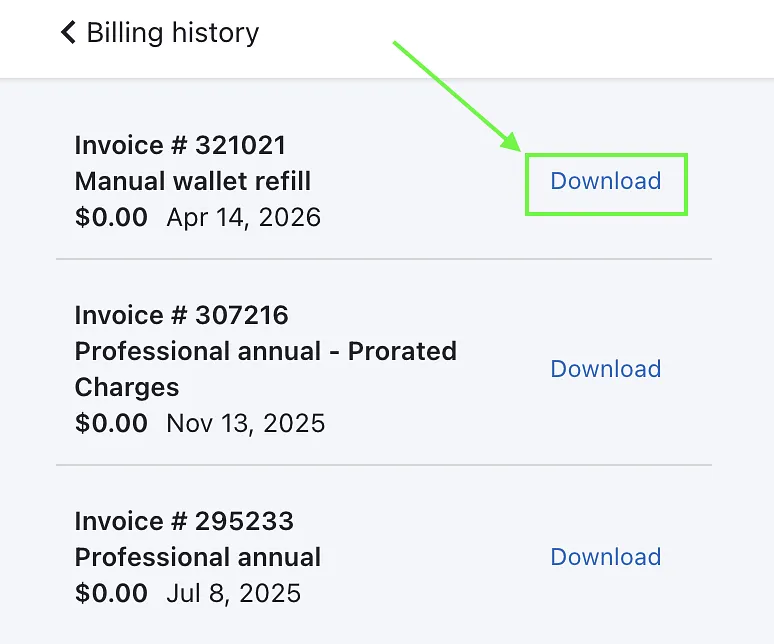
- Scroll down to see the list of your invoices.
To download an invoice, click the Download button next to it – the file will be saved as a PDF.
If you can't find a specific invoice or need help, feel free to contact our Support team.