With the Vidyard integration, you can easily add videos to your sequence emails right from the email editor.
Steps to follow
Once your video is ready in Vidyard:
- Open your sequence and go to the Steps tab.
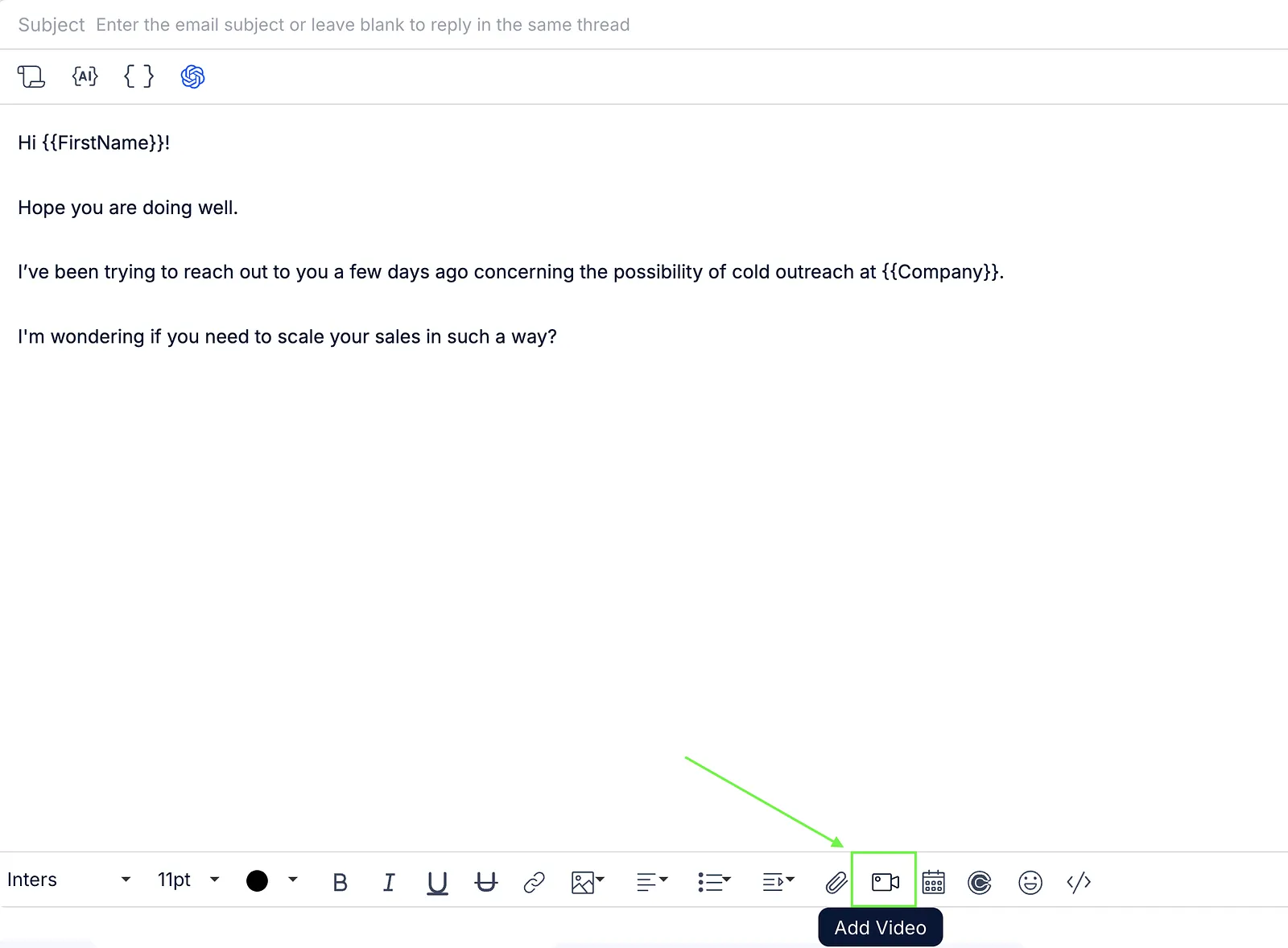
- Add an Email step and open the editor.
- Click the Add video button.
- Sign in to Vidyard or Sign up if you don't have an account yet.

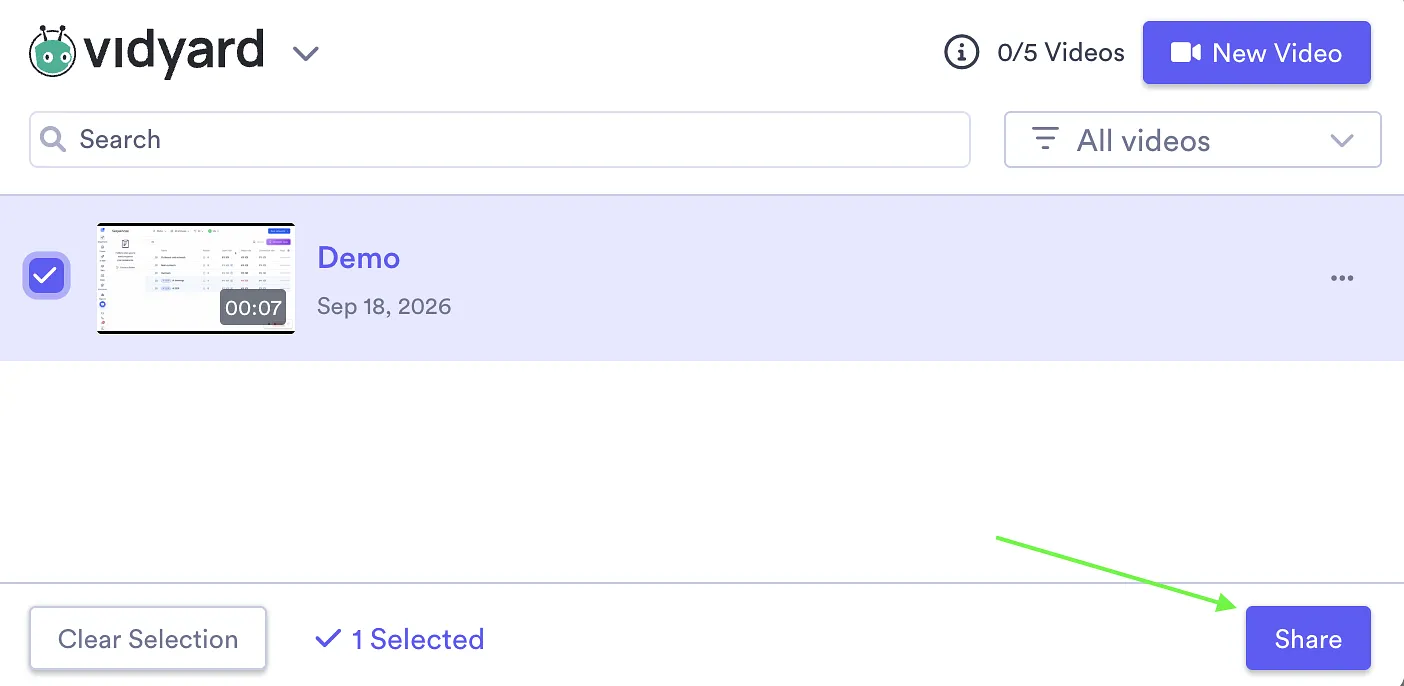
- Select the video you want to add.
- Click Share.
That's it! The video will appear in the email body once it's added.