You can add more than one LinkedIn account to a sequence with LinkedIn steps. Reply then shares the sequence's contacts between those accounts. This article explains how the contacts are split and what happens when you add or remove an account.
You can see and change a sequence's LinkedIn accounts in its Settings tab, in the LinkedIn part of the Accounts section. Click LinkedIn accounts to choose which accounts the sequence uses.
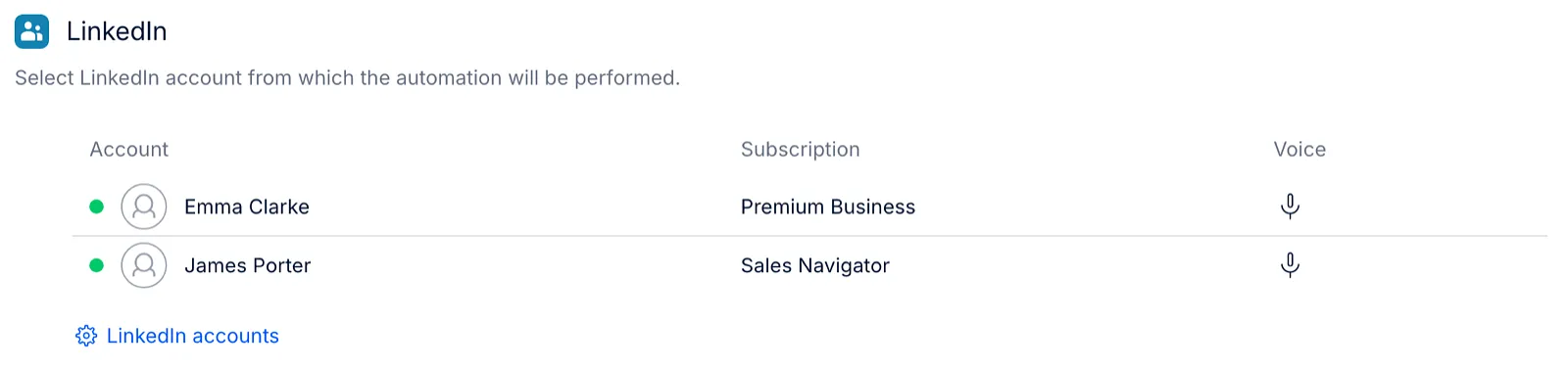
How contacts are split between LinkedIn accounts
-
Reply divides the contacts evenly between the LinkedIn accounts in the sequence. For example, with 300 contacts and 3 LinkedIn accounts, each account gets about 100 contacts.
-
Each contact is assigned to one LinkedIn account, and all LinkedIn steps for that contact are done from it.
-
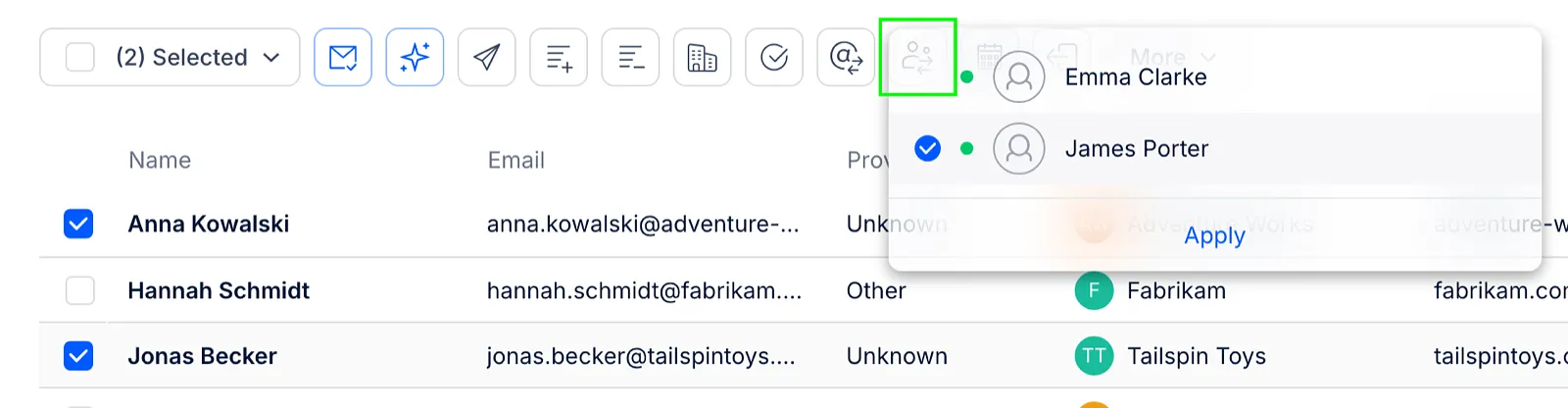
Which account gets which contacts is random. To choose the account for specific contacts, open the sequence's People tab, select the contacts, click the Change sending LinkedIn account icon above the list, choose the account and click Apply.
-
Each LinkedIn account keeps its own safety limits, so a sequence with more accounts can do more LinkedIn actions per day.
Email and LinkedIn accounts are assigned separately
Reply assigns email accounts and LinkedIn accounts to a contact independently. If a sequence has the email and LinkedIn accounts of several teammates, a contact can get an email from one teammate and a LinkedIn connection request from another.
To make sure each contact hears from one person on both channels, create a separate sequence for each sender and add only that person's email and LinkedIn accounts to it.
Adding a LinkedIn account to a sequence
Contacts you add to the sequence after that are split between all its LinkedIn accounts, including the new one.
What happens to the contacts already in the sequence depends on the Reassign LinkedIn accounts toggle in Settings → Emails → Sequence LinkedIn accounts:
-
On - Reply splits again the contacts who haven't started the sequence yet, and the contacts without a LinkedIn account, between all the LinkedIn accounts. Contacts who have already started keep their account.
-
Off - the contacts already in the sequence keep their LinkedIn accounts.

Removing a LinkedIn account from a sequence
The contacts assigned to the removed account are left without a LinkedIn account, and their LinkedIn steps don't run until they get a new one. Learn how to find and assign them in our article on common LinkedIn sequence errors.
If you add the same account back later, Reply doesn't give it back the contacts it had before. The contacts are assigned again at random, as described above.
Read more about LinkedIn in sequences: