Some Microsoft 365 organizations don't let users connect apps like Reply on their own. If you see a request for admin approval or an SMTP AUTH error, your Microsoft 365 admin needs to change a setting. Send them this article.
Need admin approval
When you connect an Outlook account with single click, Microsoft may show Need admin approval or a message that the app "needs permission to access resources in your organization that only an admin can grant".
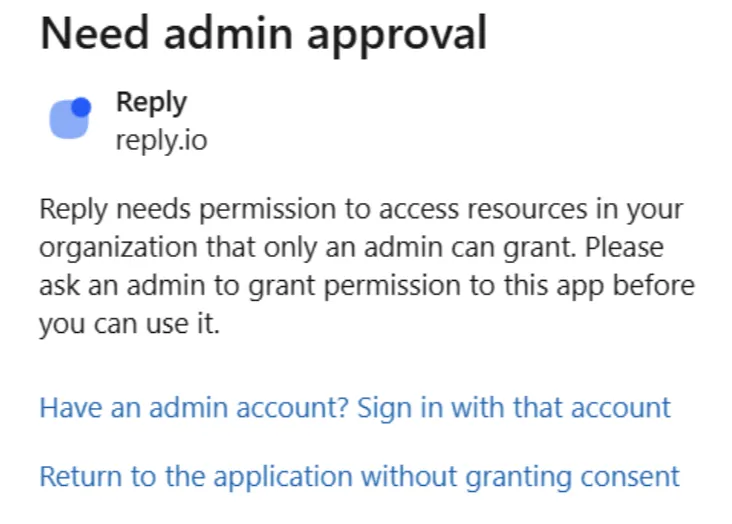
This means your organization lets only admins approve new apps. Your Microsoft 365 admin can approve Reply for everyone:
-
Sign in to the Microsoft Entra admin center as at least a Cloud Application Administrator.
-
Go to Entra ID → Enterprise apps → All applications and open Reply's app.
-
Under Security, open Permissions and click Grant admin consent.
-
Ask the user to connect the email account in Reply again.
Microsoft's own guide: Grant tenant-wide admin consent to an application.
💡 Reply uses a separate app for email warm-up. If Microsoft asks for approval again when you connect the account to warm-up, your admin needs to approve that app too.
Reply asks for these permissions
-
read your profile (to know which email address you connected);
-
send emails;
-
read and manage emails in your inbox (to detect replies);
-
stay connected when you are not signed in (so sequences can run on schedule).
SmtpClientAuthentication is disabled for the Tenant
You see this error (code 5.7.139) when an email account connects to Microsoft over SMTP and your organization has SMTP AUTH turned off.
Outlook accounts connected with single click send emails through Microsoft's API, not SMTP, so they don't need SMTP AUTH. If you can, reconnect the account with the Outlook single-click option.
Otherwise, your Microsoft 365 admin can turn SMTP AUTH on for this mailbox:
-
In the Microsoft 365 admin center, go to Users → Active users and select the user.
-
Open the Mail tab and click Manage email apps.
-
Select Authenticated SMTP and click Save changes.
💡 If your organization uses Microsoft's security defaults, SMTP AUTH stays off even with this setting on. Microsoft's guide explains the options: Enable or disable SMTP AUTH in Exchange Online.
Read more about connecting Microsoft accounts: