If you need to update your payment method or billing information, this article will help you! Here are the steps you need to follow:
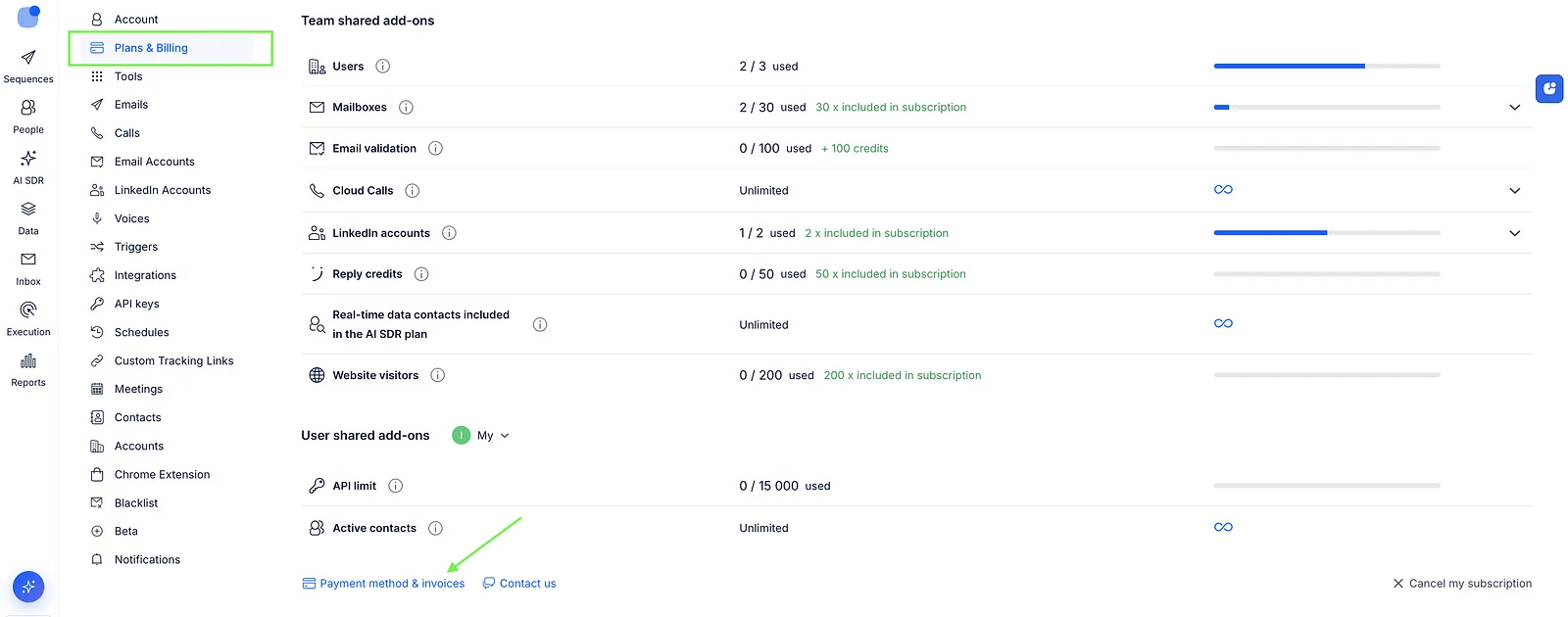
- Open the Plans & Billing tab of your Settings.
- Expand the Subscription section.
- Click Payment method & Invoices:
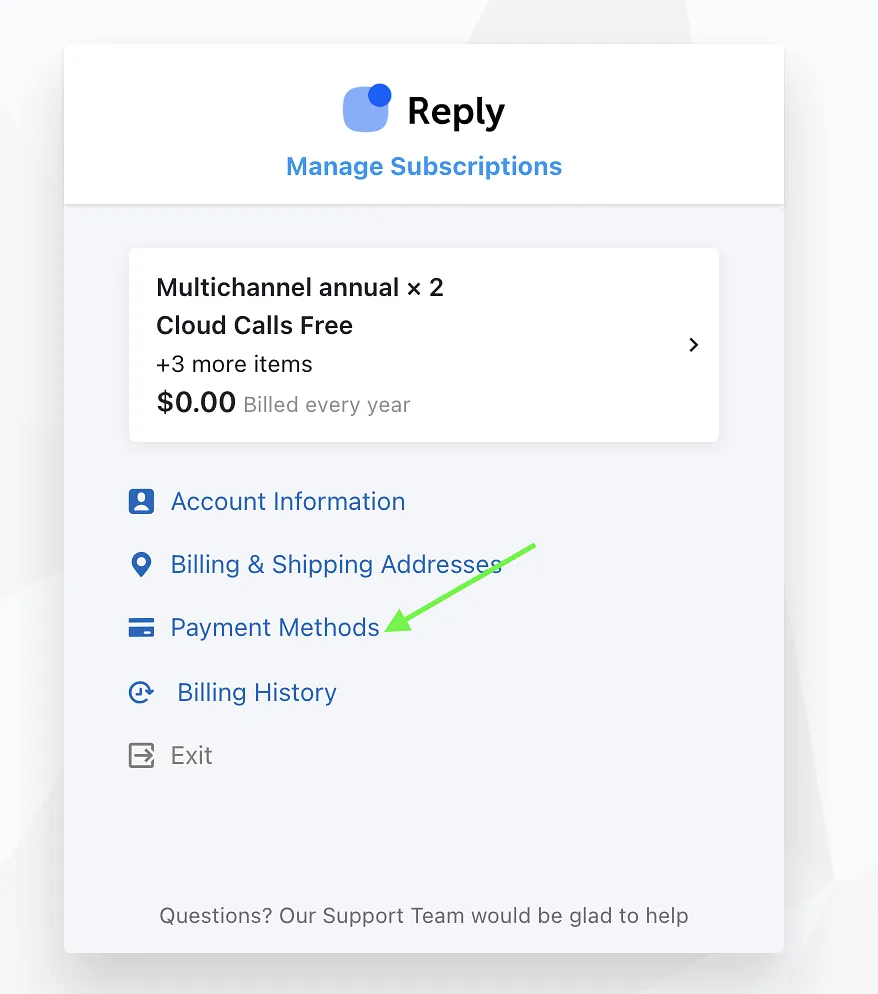
- On the Customer Portal page, choose Payment methods👇
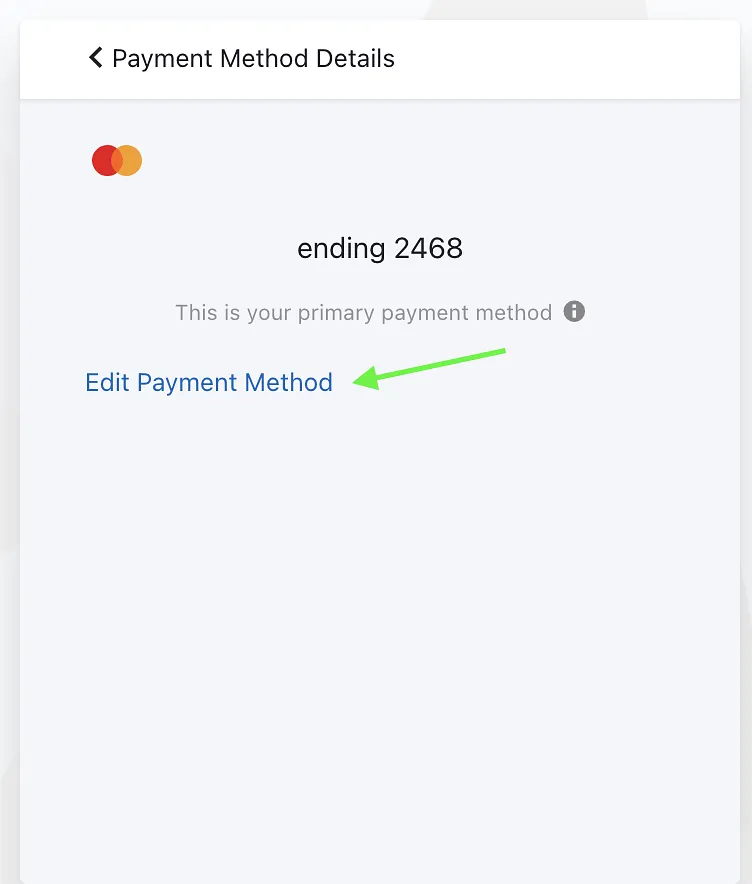
- Select your payment method and click Edit:
- Enter the new payment method and click Update.
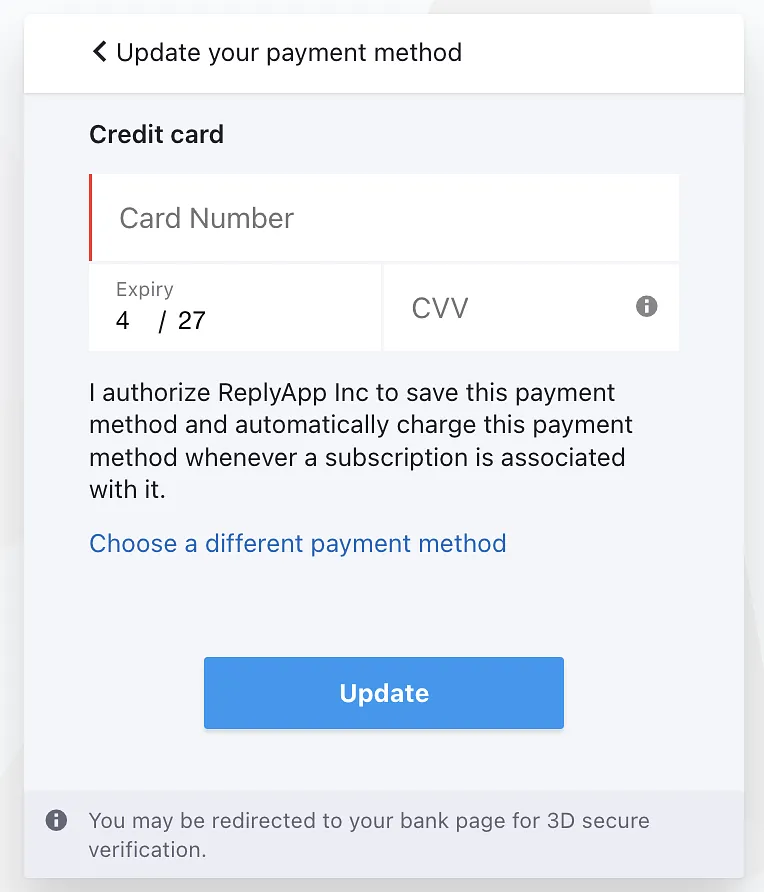
- After that, your payment method will be updated.