Custom playbooks are AI-generated playbooks created for each offer.
As you set up your AI SDR sequence, AI SDR creates an offer using the information you provide about your business, industry, and ideal customer profile (ICP). It then builds a playbook for that offer and uses it to create messages that better match your audience.
💡 AI SDR can generate a playbook only when your sequence is linked to a saved offer. To link one, pick it in the Select offer step of the sequence setup. You can create offers in AI SDR → Offers with New offer. If the sequence has no saved offer, clicking Generate a playbook doesn't create one, and the step switches to Browse Library instead.
Each custom playbook includes:
-
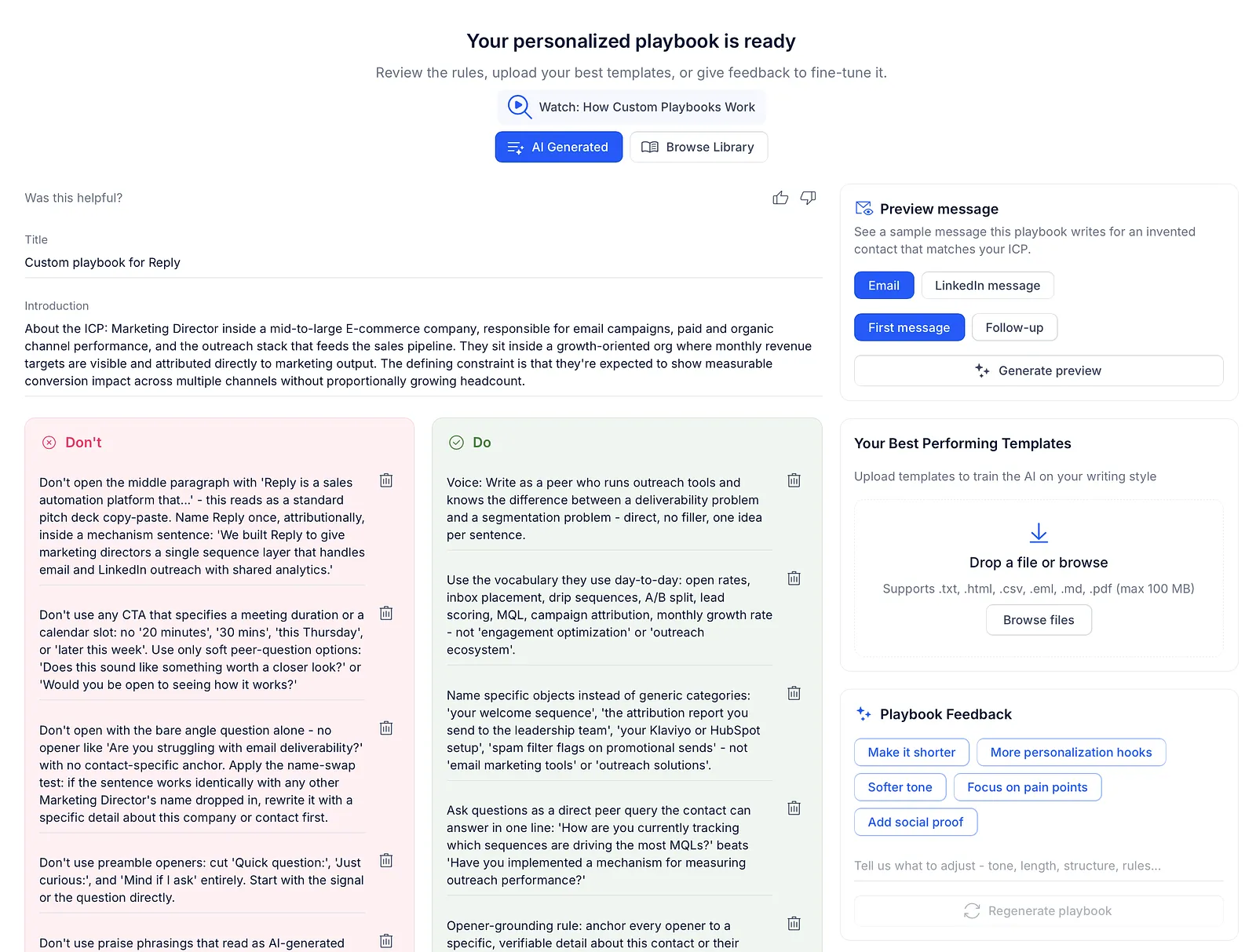
Do's and Don'ts for your messaging, including voice and tone guidance and industry-specific language.
-
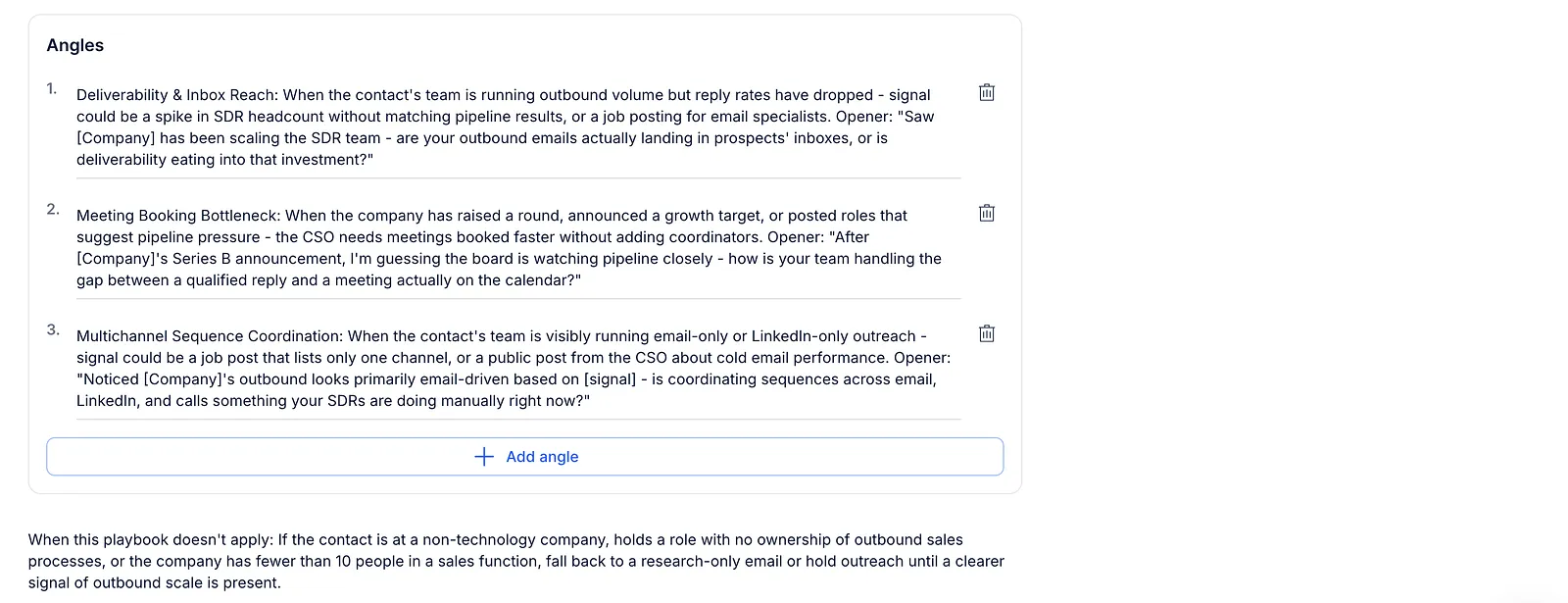
Messaging angles to help position your offer.
Improve your playbook
If you'd like to adjust the generated playbook, you have several options:
-
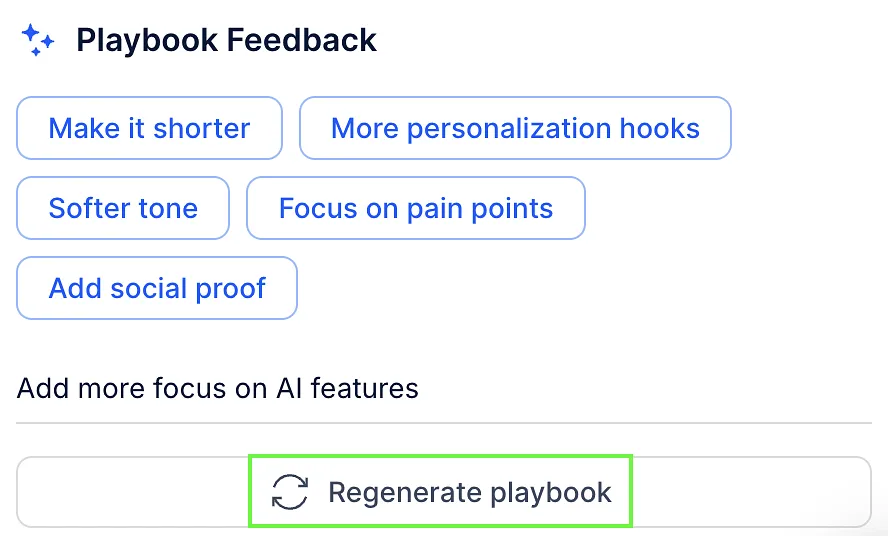
Regenerate it after adding additional instructions.
-
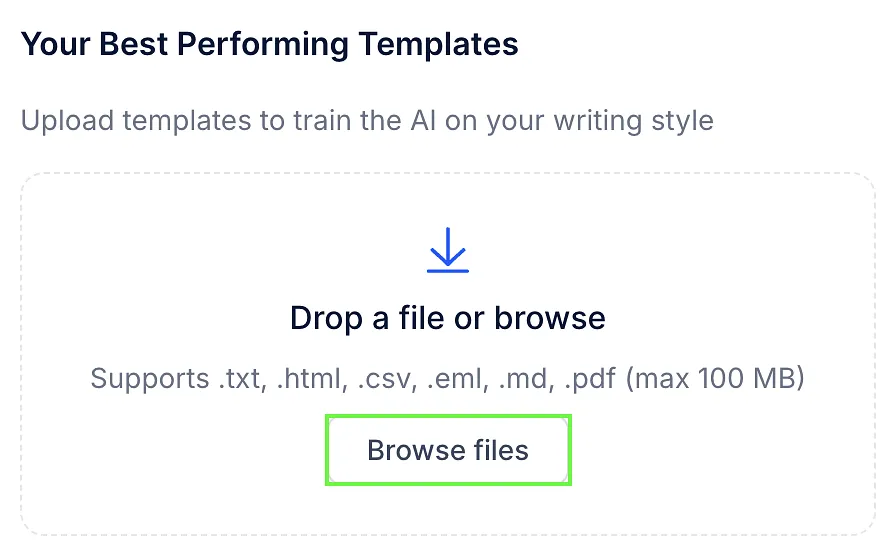
Upload files, such as successful emails or LinkedIn messages, for AI SDR to use as examples.
-
Like or dislike the generated playbook to help improve future results.

AI SDR uses your feedback the next time it generates your playbook.
Preview a message
Before you move on with your sequence, you can see the kind of message your playbook writes. The Preview message panel is next to the generated playbook on the Your personalized playbook is ready step, in the AI Generated view.
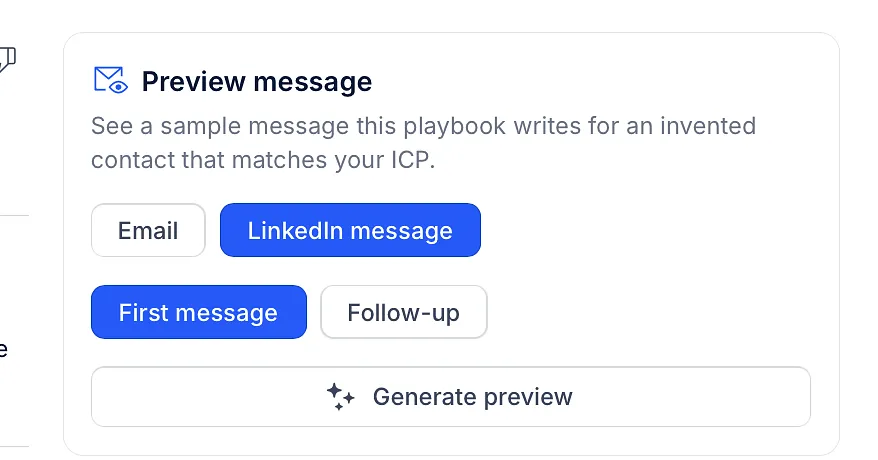
-
Choose the channel: Email or LinkedIn message.
-
Choose the message: First message or Follow-up.
-
Click Generate preview.
AI SDR makes up a sample contact that matches your ICP and writes a message for them. The preview shows:
-
Sample contact: the contact's name, job title, company, industry and location.
-
Subject: the subject line, for emails.
-
The message text.
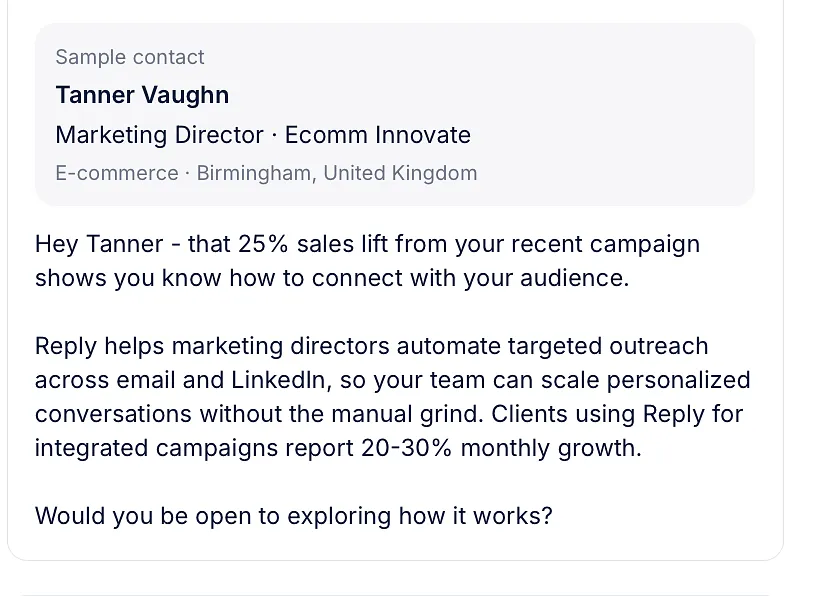
Generating can take up to a minute. To get another version, click Regenerate preview. If you switch the channel or the message type, the preview clears, so click Generate preview again.
💡 Reply saves your playbook, including your edits, before it writes the preview, so the sample always matches the latest version.
Best practices
To get the best results from custom playbooks:
-
Add accurate information when creating your offer.
-
Upload examples of outreach that have worked well for your business.
-
Regenerate the playbook after adding feedback or new instructions.
Custom playbooks are designed to guide AI SDR, so you may need to refine them over time. The more feedback you provide, the better the playbook can match your business and messaging.