💡 Important: If you’re using the AI SDR or Agency plan, or the option is not available in your account, please contact our support team to cancel your subscription. You can reach us via chat or email at [email protected].
Only the account owner sees the Cancel my subscription button. If you're not the owner, ask them to cancel. The button is also hidden once a cancellation request has been sent.
To cancel your subscription:
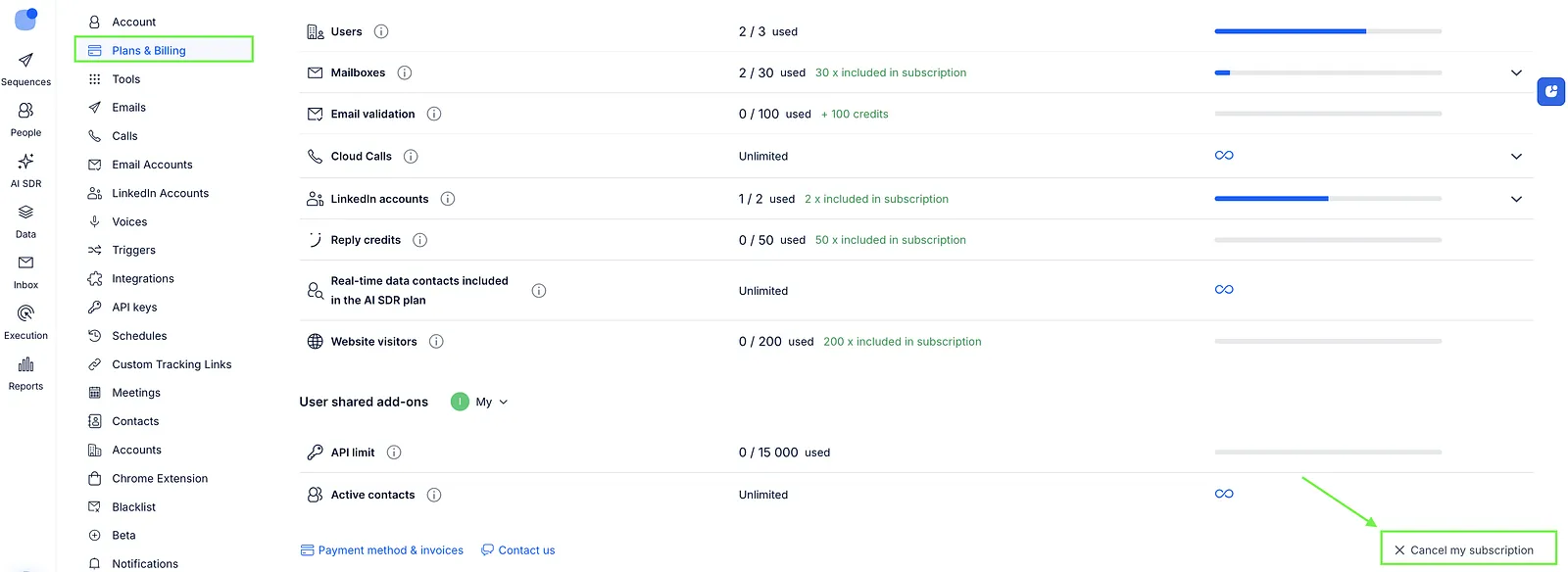
- Go to Settings > Plans & Billing.
- Click on the Cancel my subscription button.
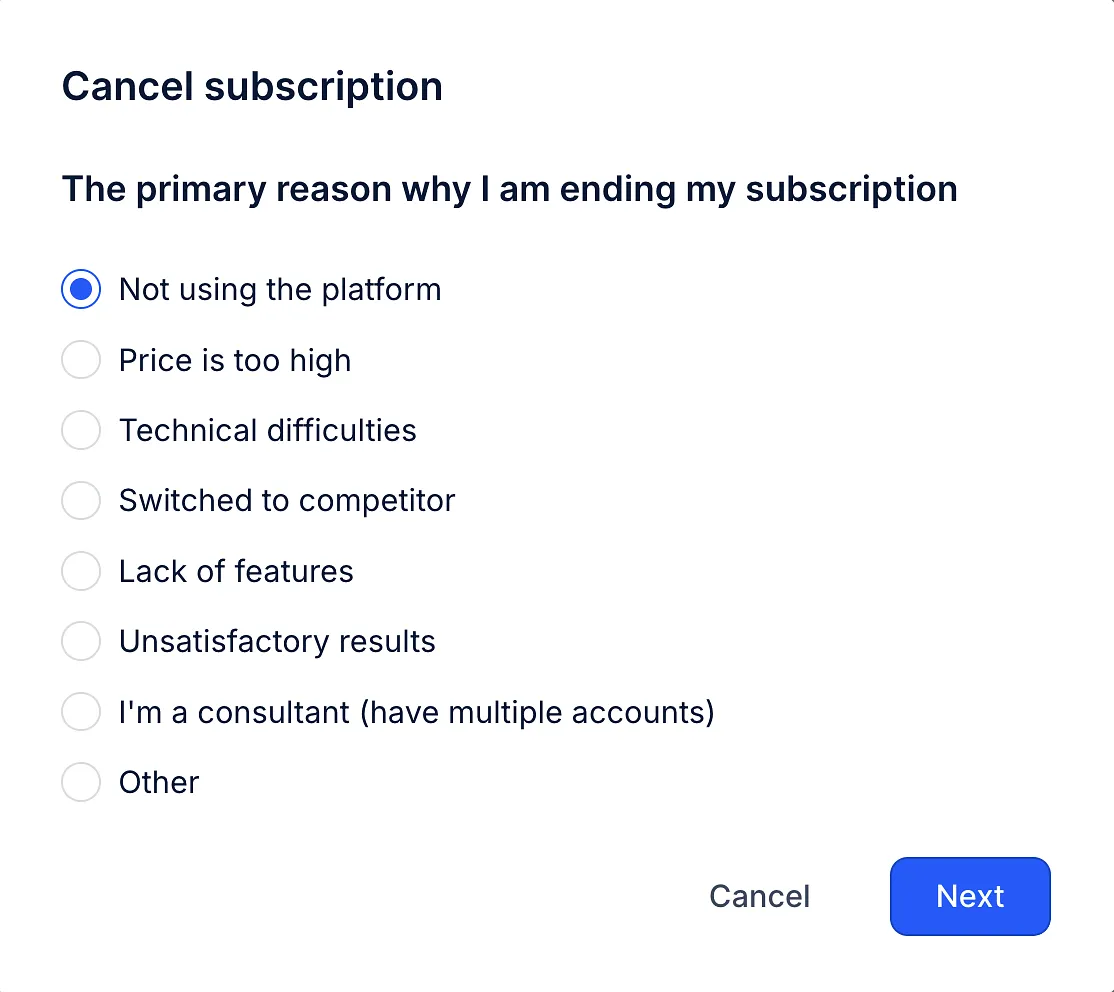
- Select a reason for cancellation and provide any required details. Click Next.
- You’ll have the option to Suspend your account and switch to the Data Storage plan for $7/month if you’d like to keep your data.
- If you still want to cancel, please check all 3 boxes to confirm the following: I am aware that my account cannot be restored. I am aware that all my data will be deleted in 30 days. I am aware that this is a one-time action.
- Click Cancel forever.
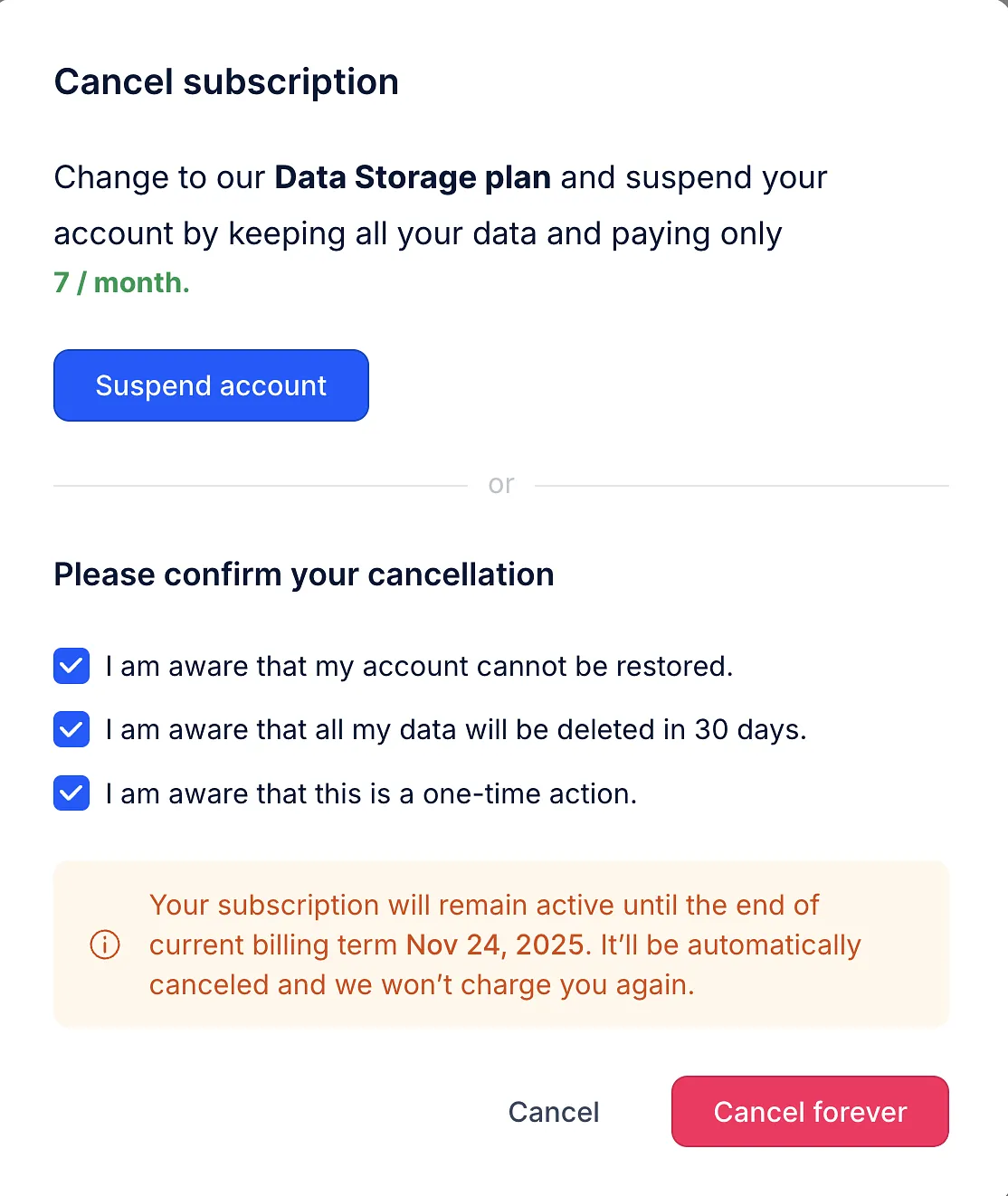
Done! Your subscription will remain active until the end of your billing cycle.
💡 Want to delete your account instead? If your organization is on a Trial or Freemium plan and has no active subscription, its owner can delete it: see Delete an organization.
💡Note: If you no longer plan to use the service, please cancel your subscription before the next billing date. Reply follows a non-refundable policy, so charges for unused time or inactive accounts are not eligible for a refund. For more details, see our Terms of Service.