Webhooks let web applications communicate with each other. In Reply, webhooks send real-time data to your application whenever an event occurs.
Each webhook notification includes:
- The type of event
- Data related to the event
Your webhook endpoint can then take further actions based on this information.
Here's a short video tutorial explaining what webhooks are, the types available in Reply, how to subscribe to them, and more:
What can I do with webhooks?
With webhooks, you can:
- Integrate Reply with third-party tools
- Receive notifications about events in your Reply account
- Replace some Zapier integrations
How do I start using webhooks?
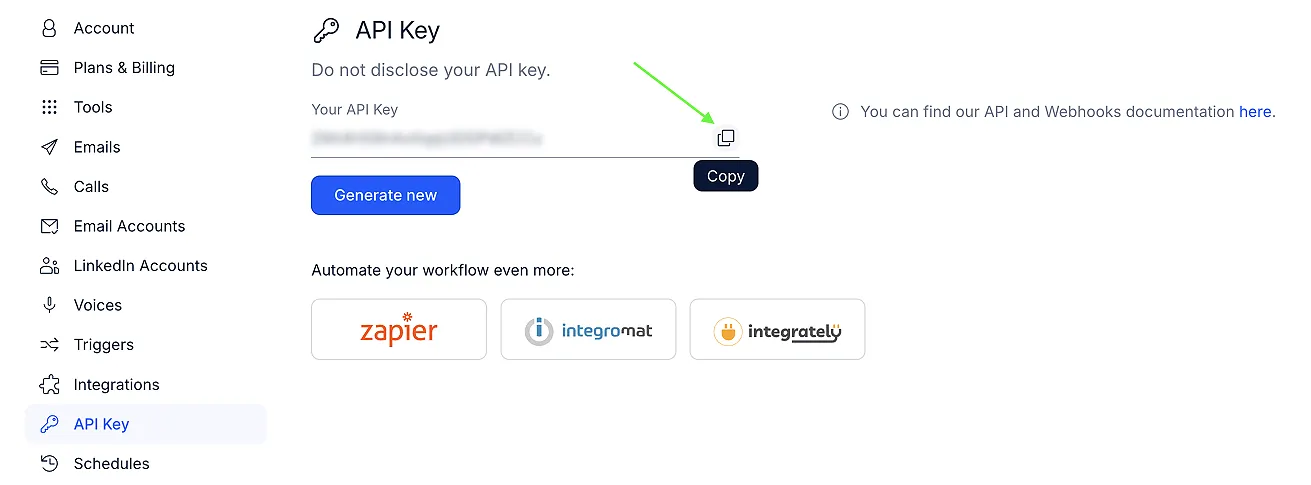
To use webhooks, you need your Reply API key:
- Go to Settings → API Key in your Reply account.
- Copy your API key to use in your webhook endpoint.
Available webhook types
Reply supports the following webhook events:
Email events
- email_replied – triggered every time a prospect replies to an email.
- contact_replied – triggered whenever a contact's status changes to Replied.
- reply_categorized – triggered when a reply is categorized with a new inbox category
- email_sent – triggered when a new email is sent (first step or follow-up)
- email_opened – triggered when a prospect opens your email
- contact_opted_out – triggered when a prospect opts out
- contact_finished – triggered when a prospect finishes a sequence
- contact_called – triggered when a cloud call is made or logged
- email_link_clicked – triggered when a link in an email is clicked
- email_account_connection_lost – triggered if the connection to an email account is lost
- email_account_error – triggered when the email provider returns an error
- email_bounced – triggered when an email fails to deliver
LinkedIn events
- linkedin_connection_request_sent – triggered when a connection request is sent
- linkedin_message_sent – triggered when a LinkedIn message is sent
- linkedin_connection_request_accepted – triggered when a connection request is accepted
- linkedin_message_replied – triggered at the first reply to a LinkedIn message in a sequence
- linkedin_reply_categorized – triggered when a LinkedIn reply is categorized
- linkedin_account_alerts - triggered when Sales Navigator is disconnected, weekly connection-request limit reached, or InMail credits exhausted.
- linkedin_comment_posted – triggered when an AI-generated comment is posted on a contact's LinkedIn post.
Other events
- autopilot_stopped – triggered when Autopilot stops in a sequence. It fires on the first stop and includes the reason why Autopilot was stopped.
👉 Check out our API documentation for a complete guide on webhook subscriptions.