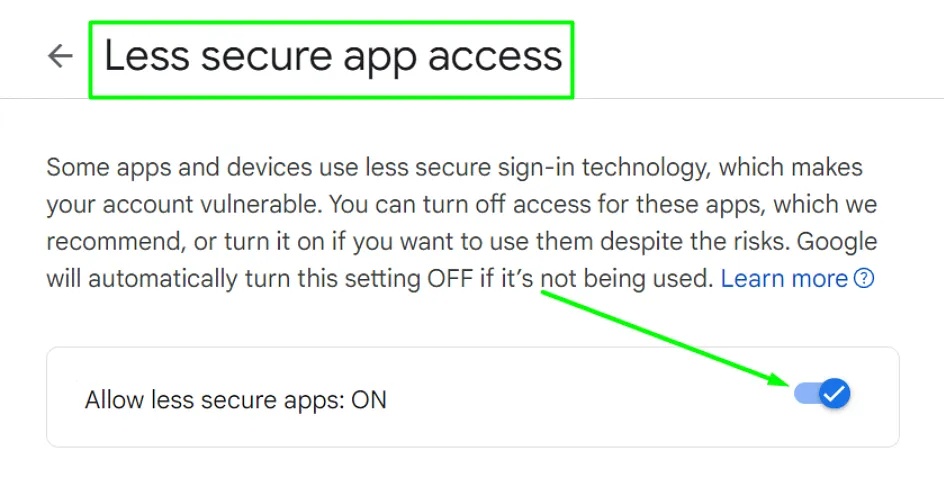
Google may block sign-in attempts from some apps or devices for third-party services like Reply. In this case, check whether the following settings are correct:
- Grant access to Less Secure Apps.
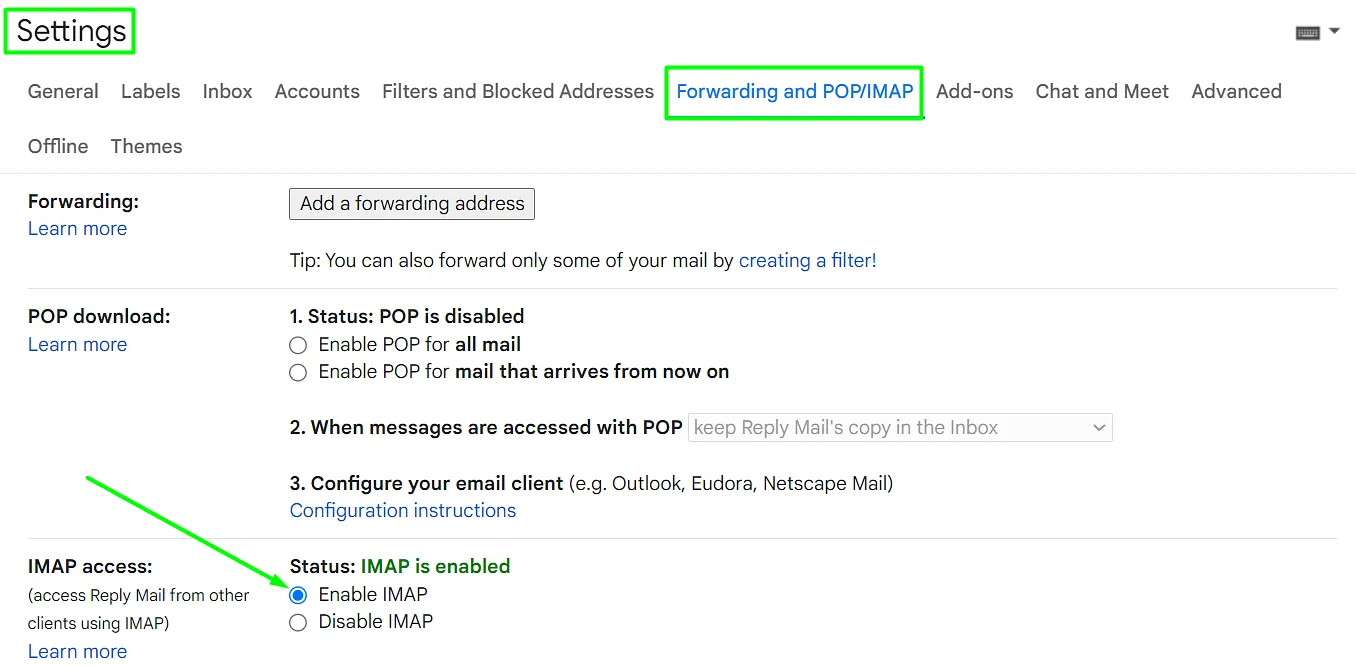
- Enable IMAP.
- Ensure the password is correct if you are connecting your mailbox manually.
If you have two-factor authentication enabled, there are two options:
- Connect your Gmail account via Single Click and enter an SMS code to log in if needed.
- When connecting the mailbox manually, you need to generate an app password instead of entering your mailbox password.
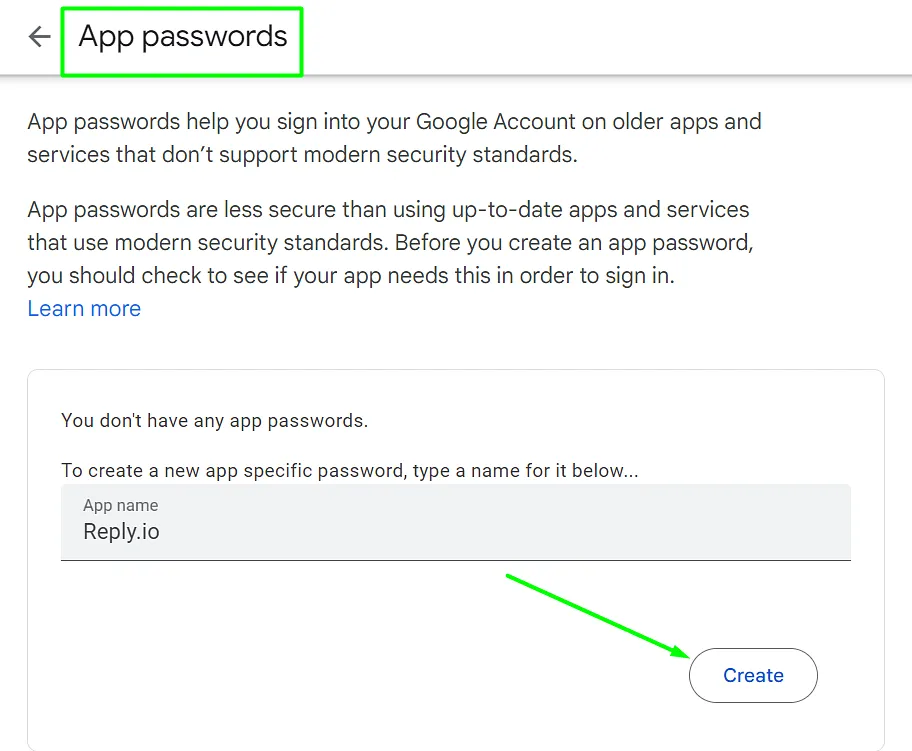
Here are the settings for the manual Gmail connection with enabled 2-factor authentication:
IMAP host: imap.gmail.com SMTP host: smtp.gmail.com port: 993 port: 465 SSL enabled SSL enabled Password: generated password Password: generated password
💡 Important: The email addresses with generic domains like Gmail.com are no longer supported, so make sure to use business domains.
If you have any questions left, please message our Support team in chats or email us at [email protected].