SMS is a communication channel you can use for follow-ups, reminders, and short updates to your contacts.
Before using SMS steps, make sure your A2P messaging campaign is registered. If it is not set up, contact support at [email protected].
When a manual SMS step is created in a sequence, Reply generates a task that you can complete in Findy.
How to send a manual SMS in Findy
To send a manual SMS in Findy:
- Go to Findy → Tasks.
- Filter for SMS tasks.
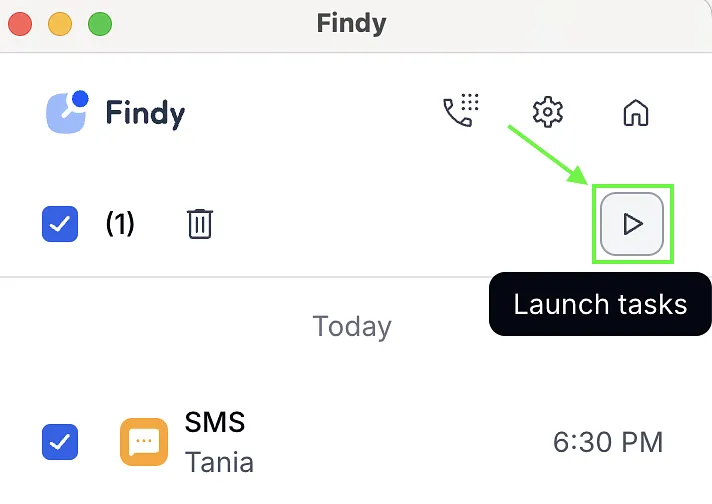
- Click Launch tasks. Findy will open each task one by one.
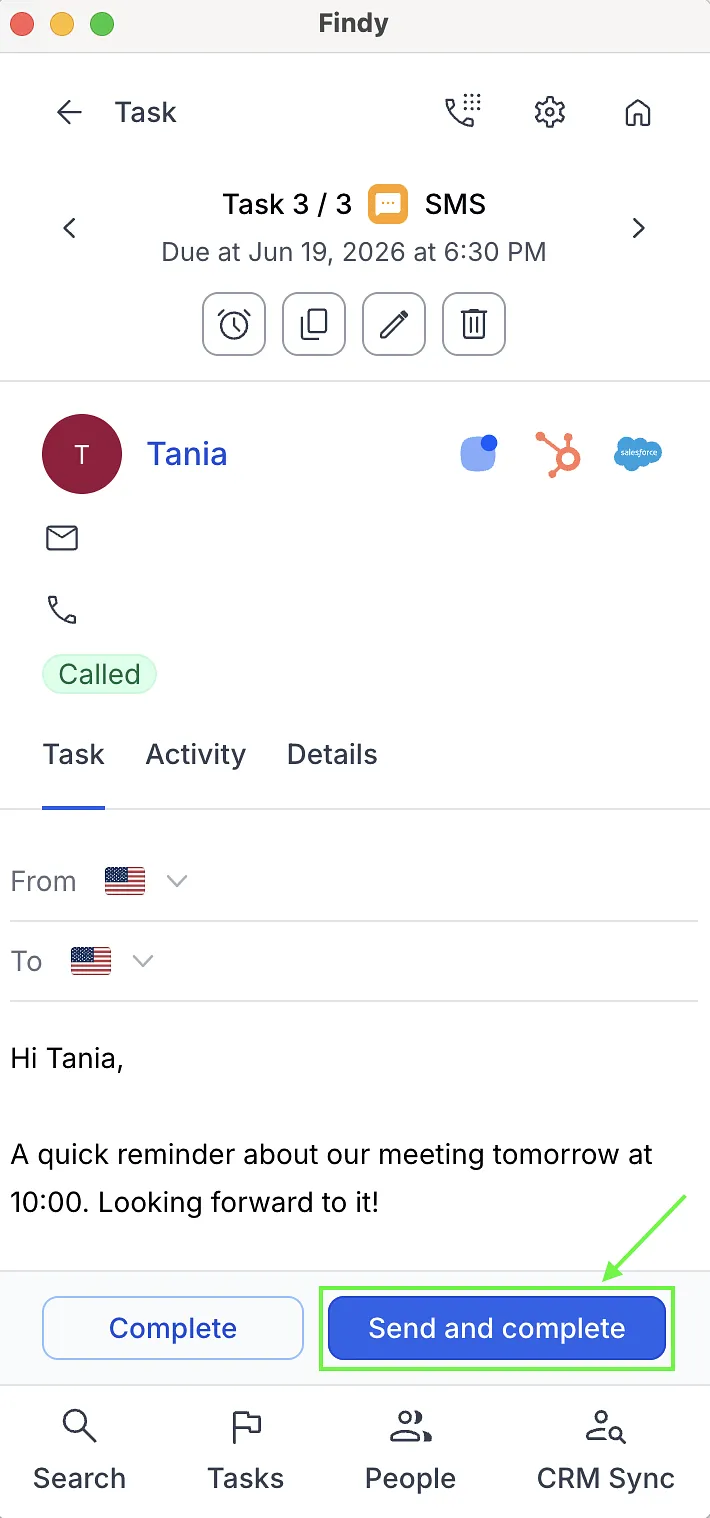
- In the message editor, review or edit the SMS content if needed.
- Click Send and Complete.
💡 If a contact has opted out or the phone number is invalid, you will see a warning, and the SMS cannot be sent. In this case, update or fix the contact details before completing the task.
👉 See also: