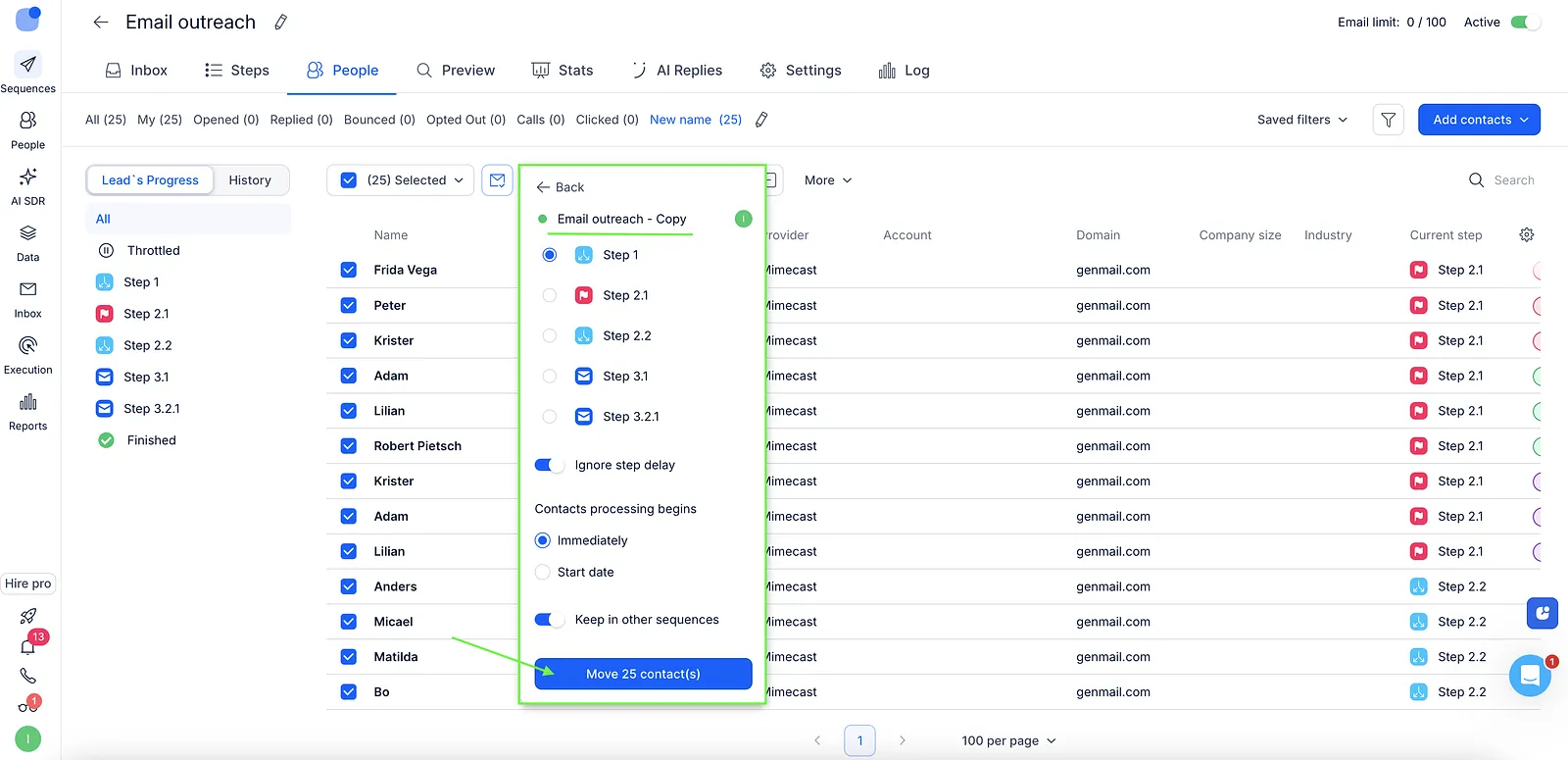
In Reply, you may want to move prospects who haven’t opened your emails into a duplicate sequence to give them another chance. Smart filters can help you do this:
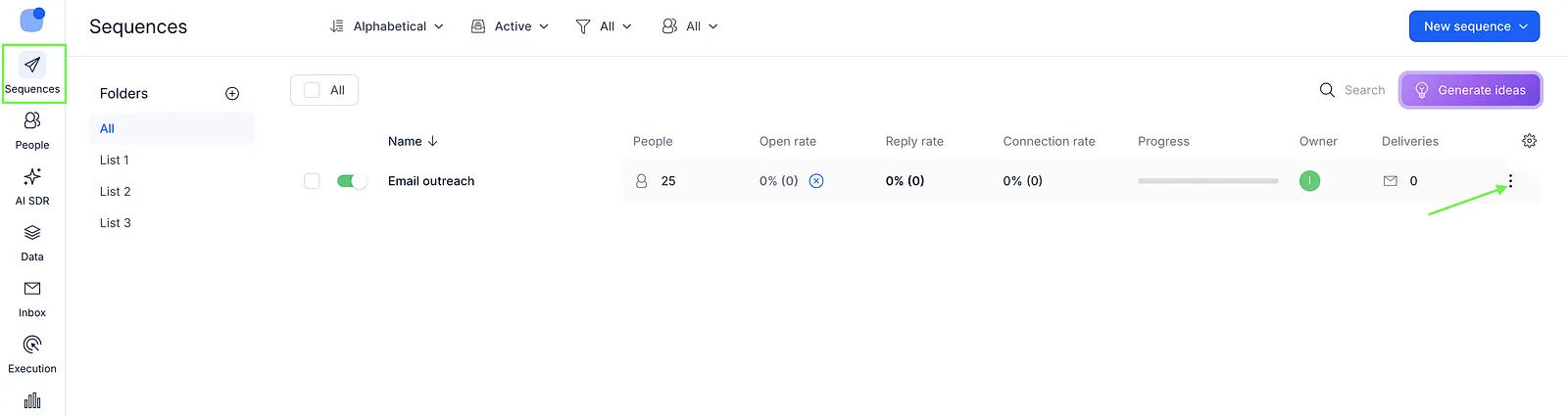
- On the Sequences page, click the three dots on the right side of the sequence.
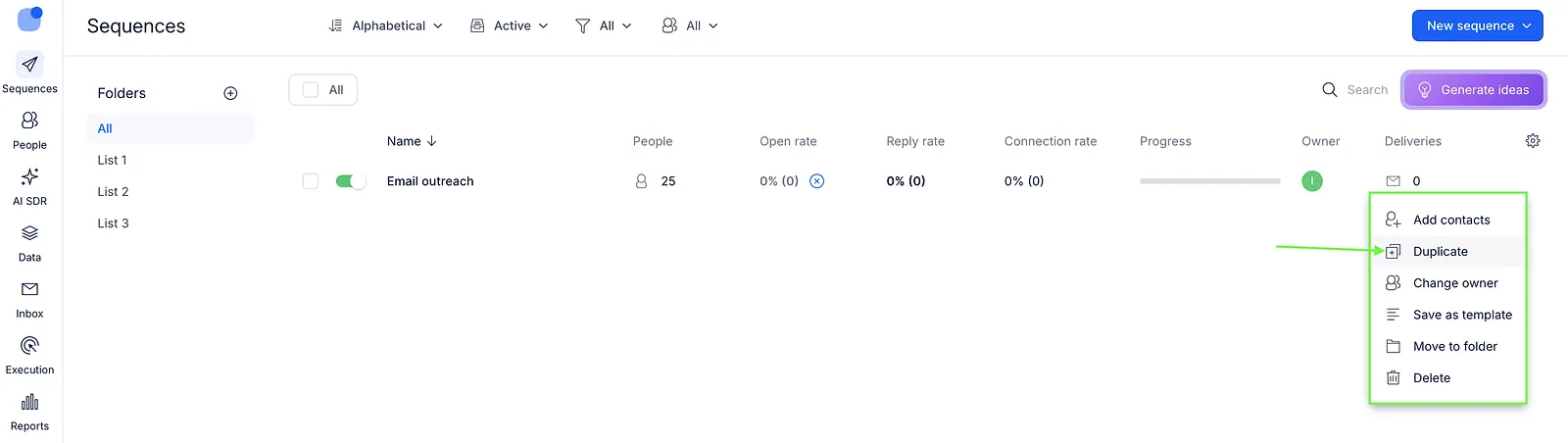
- In the pop-up menu, select Duplicate to create a copy of your sequence.
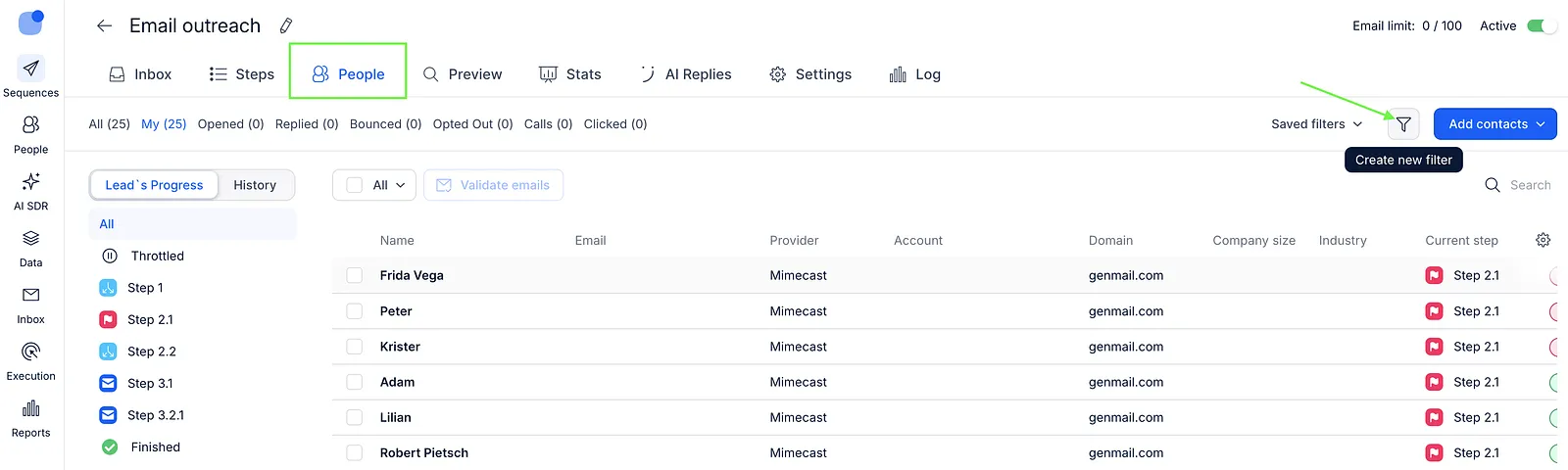
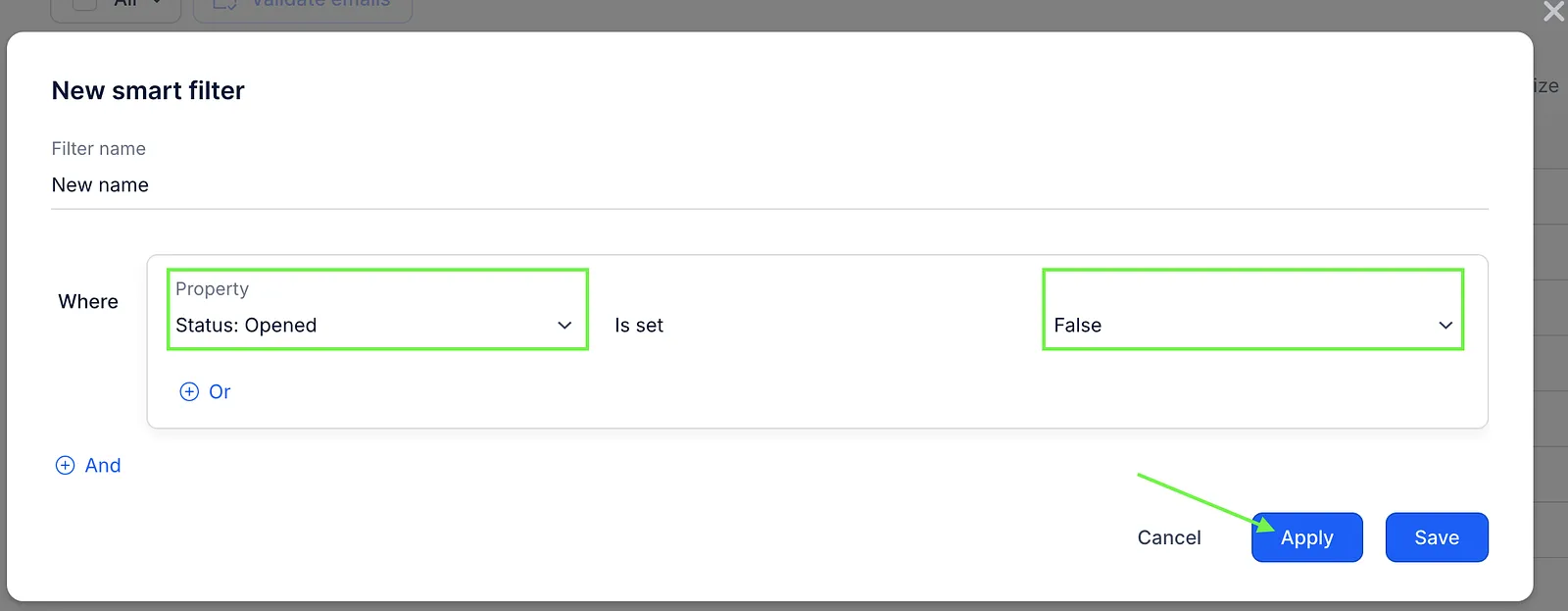
- Open the original sequence and navigate to the People tab, then click Create new filter.
- In the Property field, select Status: Opened, and set the False value. Then click Apply to sort the prospects.
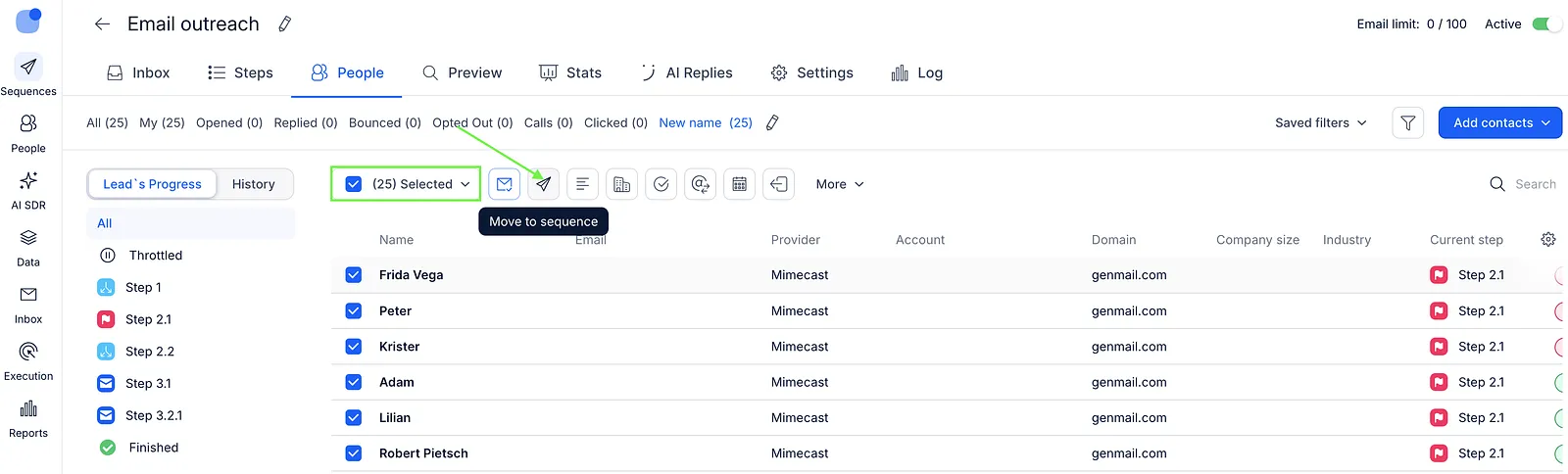
- Select the filtered prospects and click the Move to sequence button.
- Select the duplicate sequence from the list, then click Move contacts.