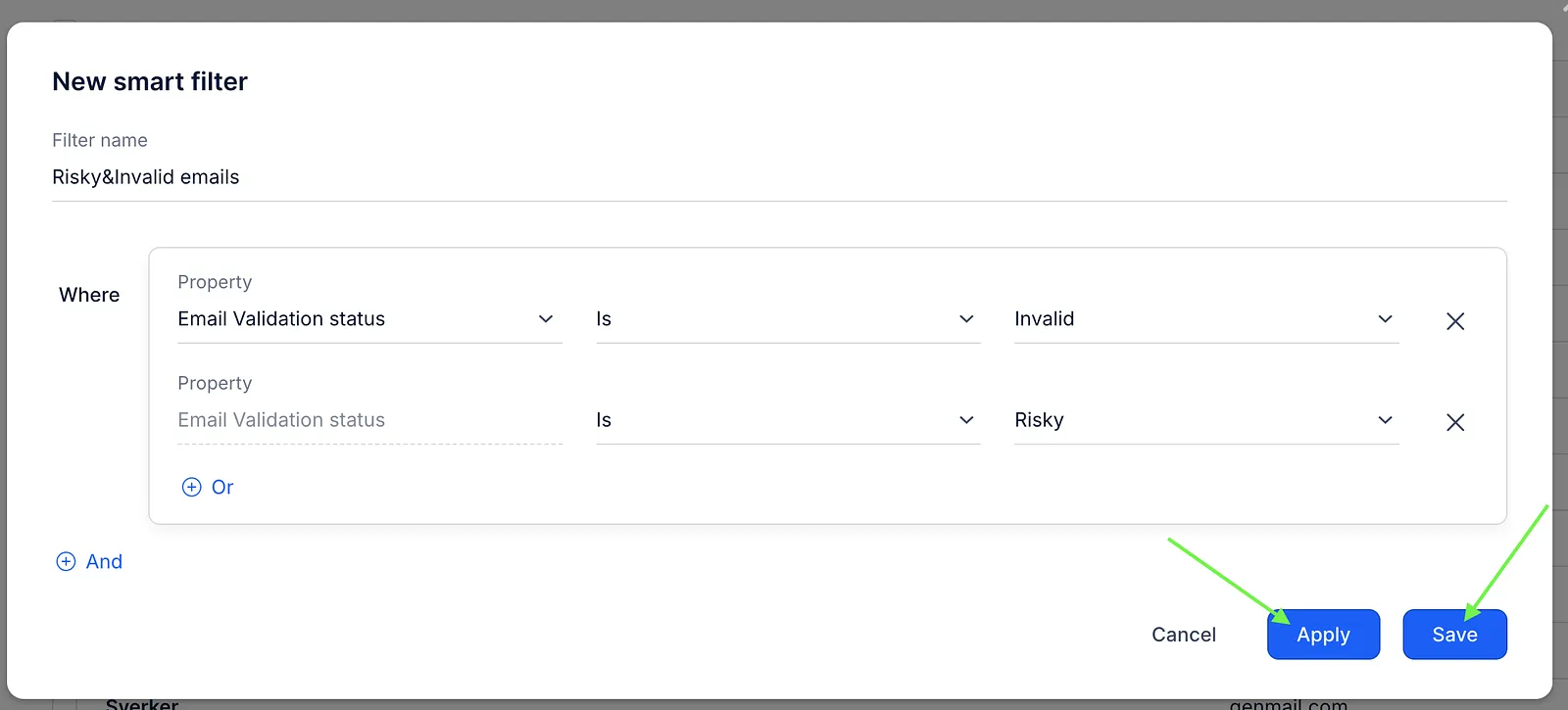
Reply allows you to check your prospects' email addresses if they are valid or not. After you have validated your prospects, you can create a smart filter to sort out all Invalid or Risky prospects and move them to a separate list or delete them. To do this:
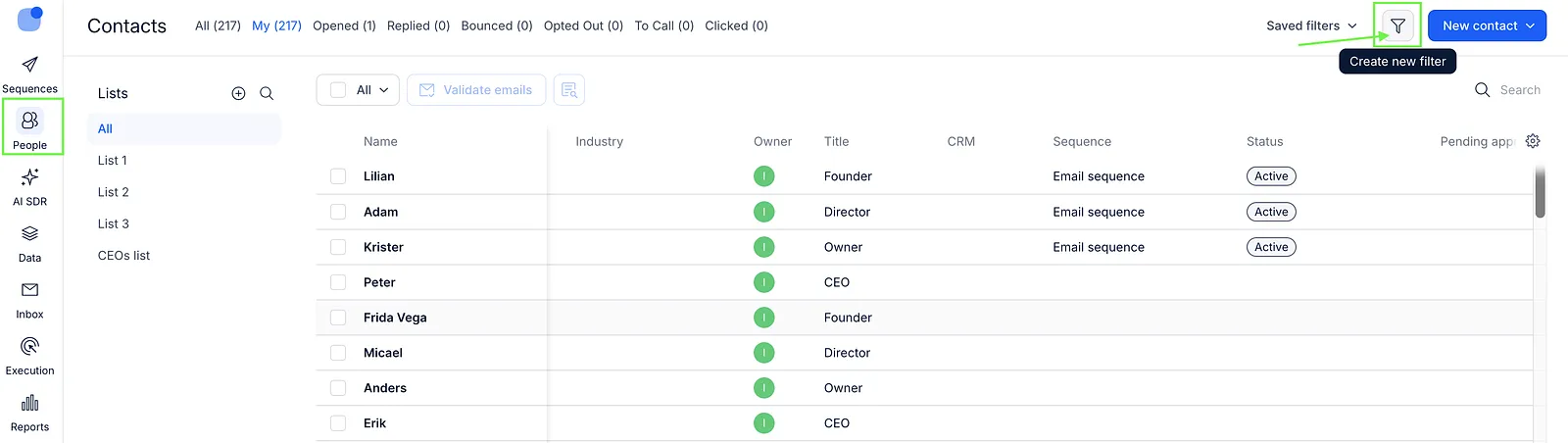
- Open the People page and click Create new filter.
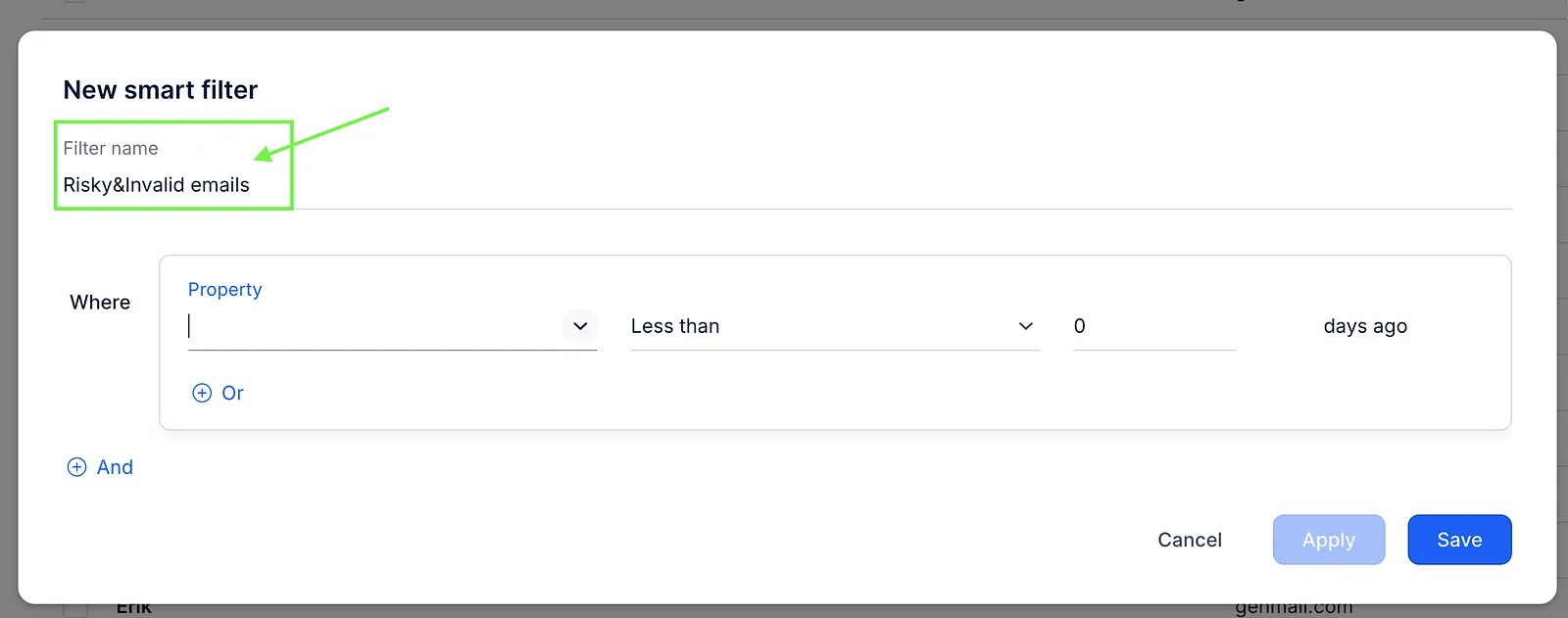
- Enter a Filter name (optional). Giving it a name isn’t required, but if you save the filter, it will be easier to find and reuse later.
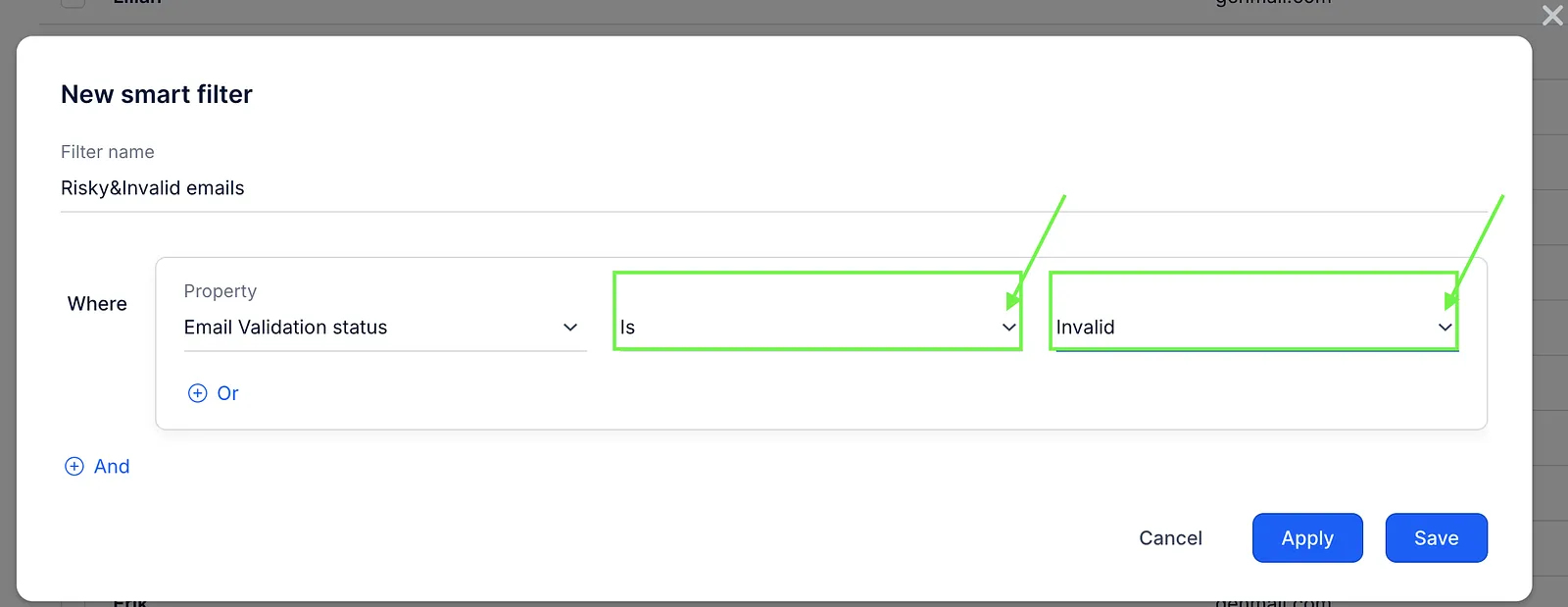
- In the Property field, select Email Validation status.
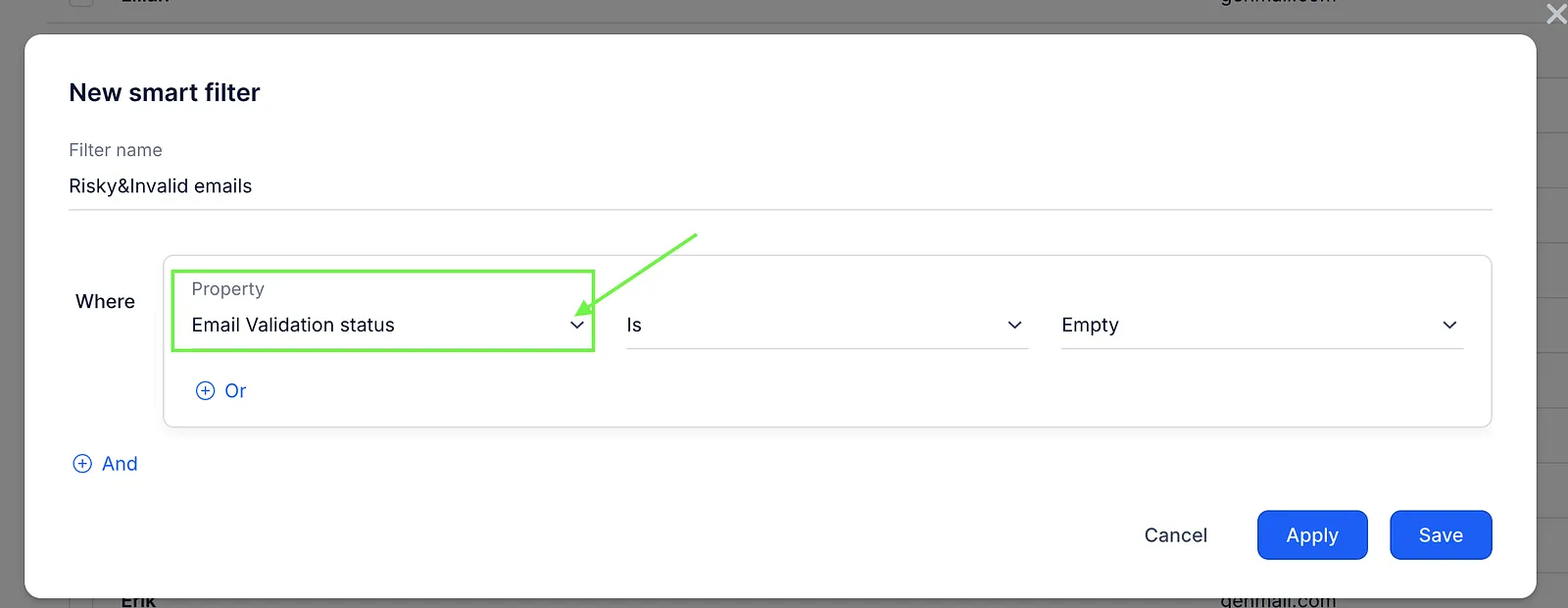
- Select the Is condition and select the status, for example Invalid.
- To include contacts with a Risky email validation status in this filter, click Or and select Risky status. This way, the filter will show contacts with either Invalid or Risky email validation statuses.
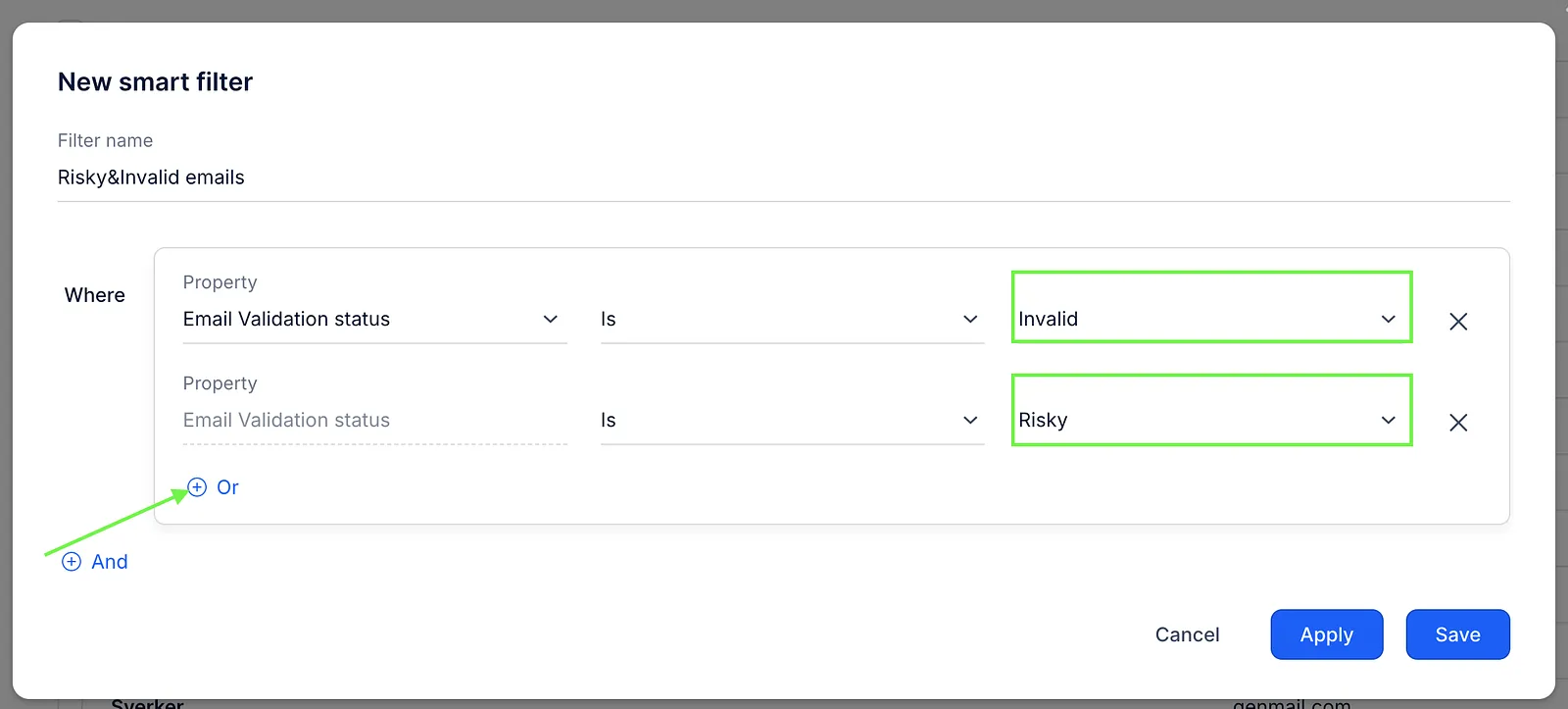
- Click on the Apply button to view instant results. Alternatively, you can click Save to both see the results and save this filter for future use.