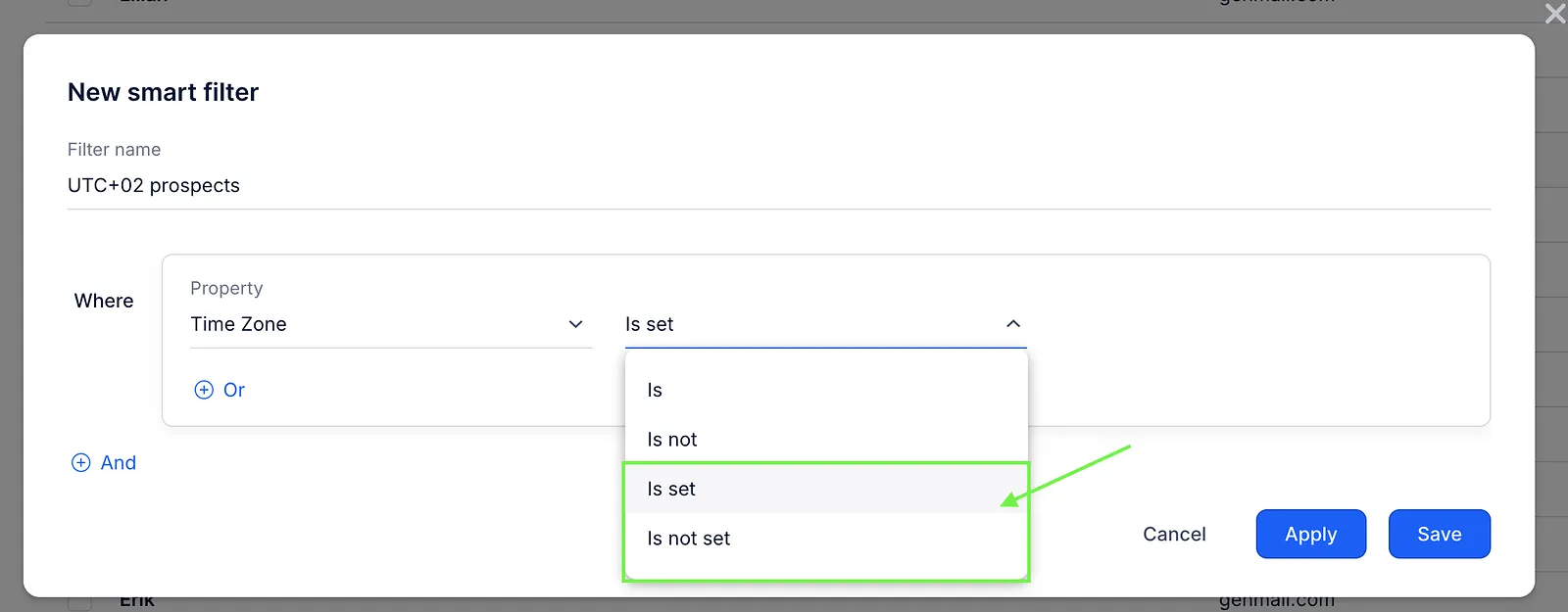
Reply includes a Time Zone field for filtering prospects. In some cases, you might want to add prospects with or without a specific time zone to your sequence. You can quickly sort these prospects using the smart filter. To do this, follow these steps:
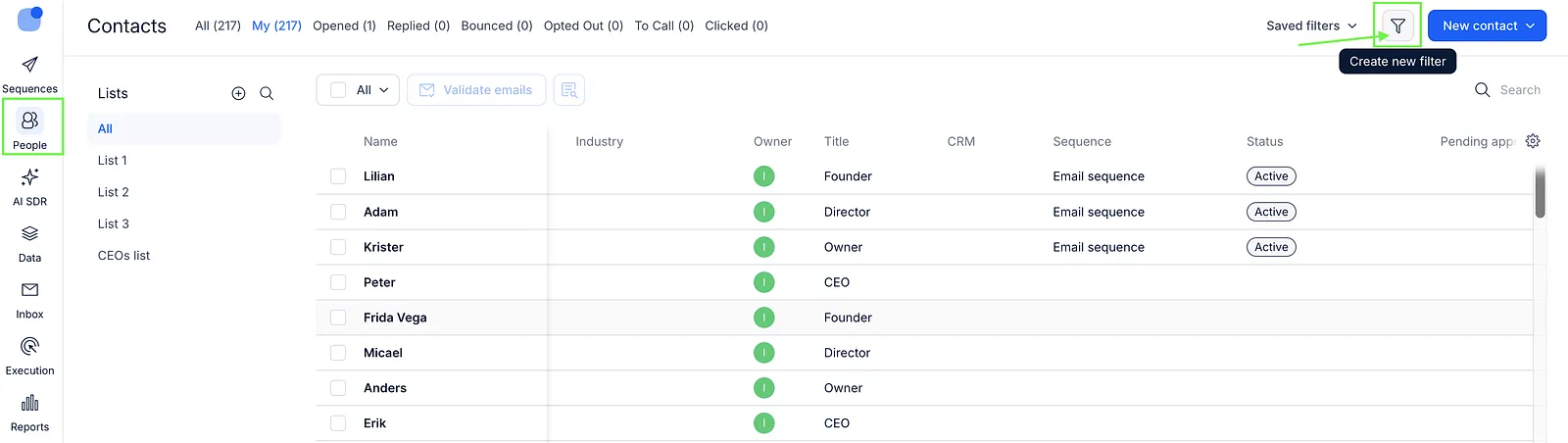
- On the People page, click Create new filter.
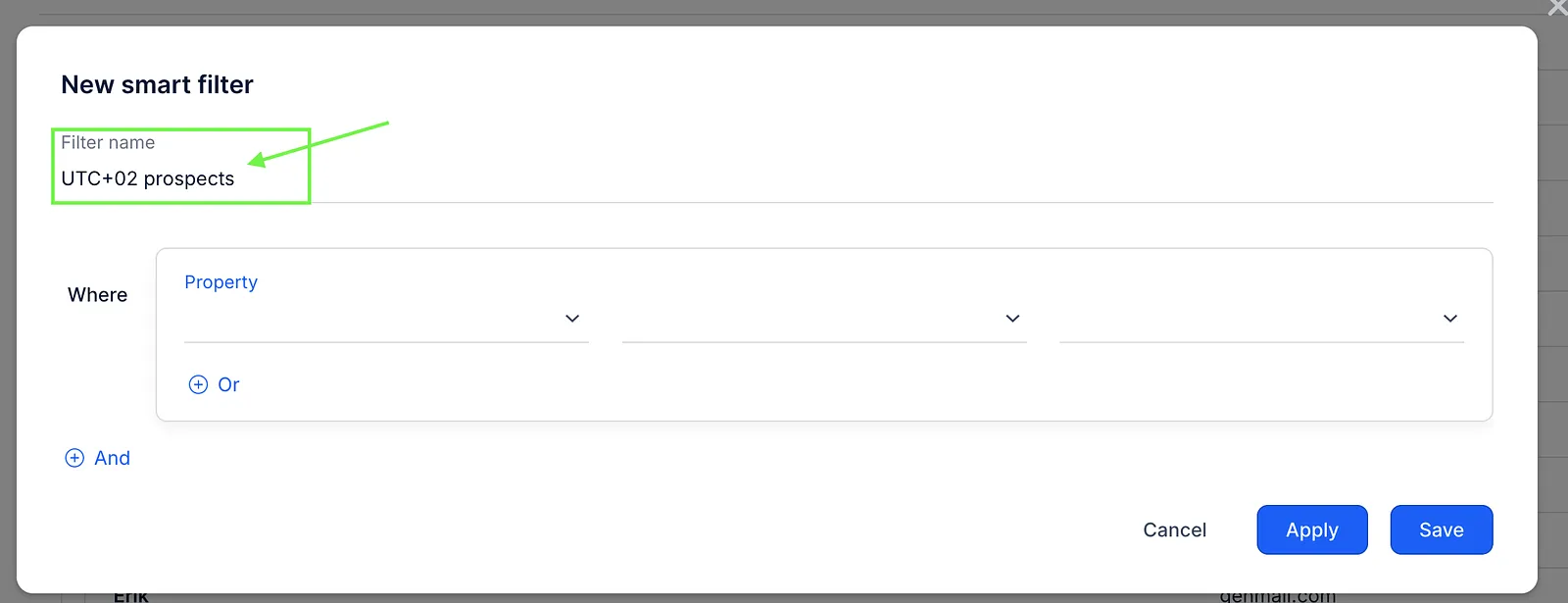
- Enter a Filter name (optional). Giving it a name isn’t required, but if you save the filter, it will be easier to find and reuse later.
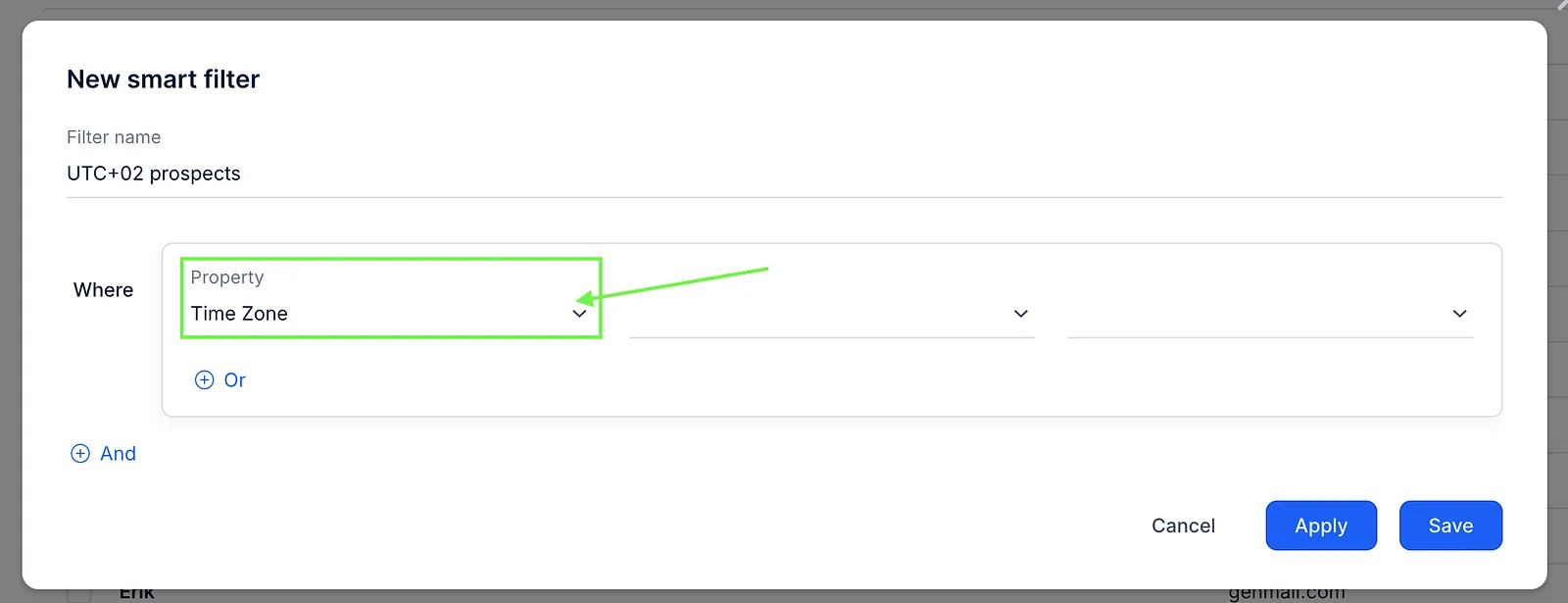
- In the Property field, select Time Zone.
- Select the Is or Is not condition and enter the value, for example, UTC+01:00. Then click Apply or Save if you want to use this filter again later.
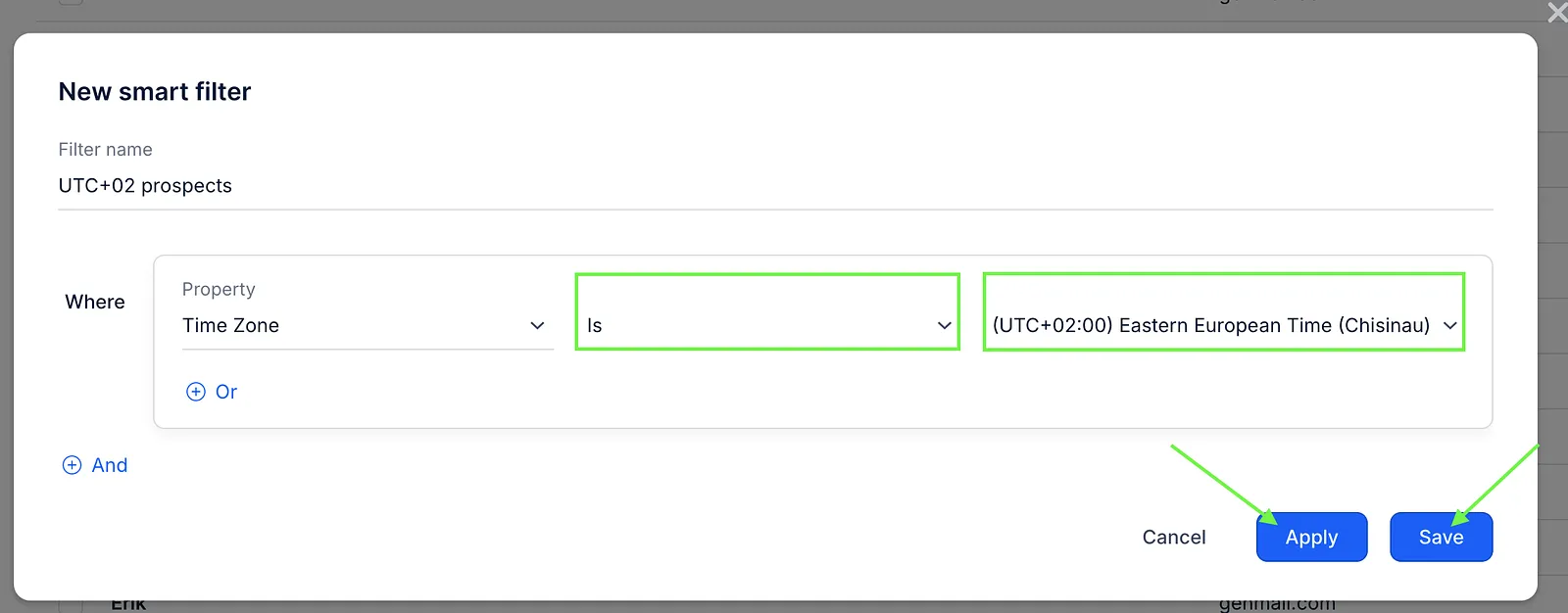
💡Note that the Is set or Is not set condition will display all contacts who do or do not have a time zone specified in their field.