There are two scenarios when a prospect gets the Finished status. Let's review each of them and move to the steps to fix them 👇
- When a contact replies to the sequence email.
- When a prospect goes through all sequence steps and finishes the campaign.
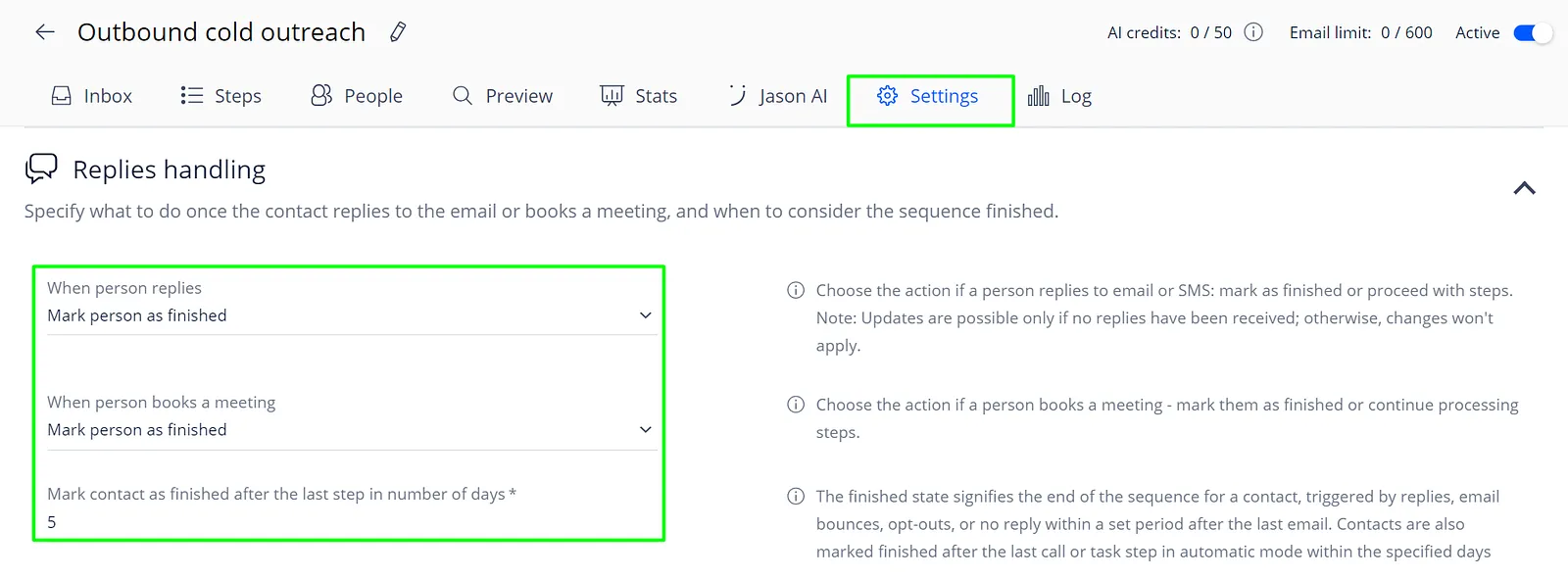
There is a dedicated sequence setting that manages both. Here is how you may find it:
- Open the sequence;
- Go to the Settings tab;
- Expand Replies Handling section:
If you would like to reactivate prospects, follow this short guide and your sequence will be back in action!
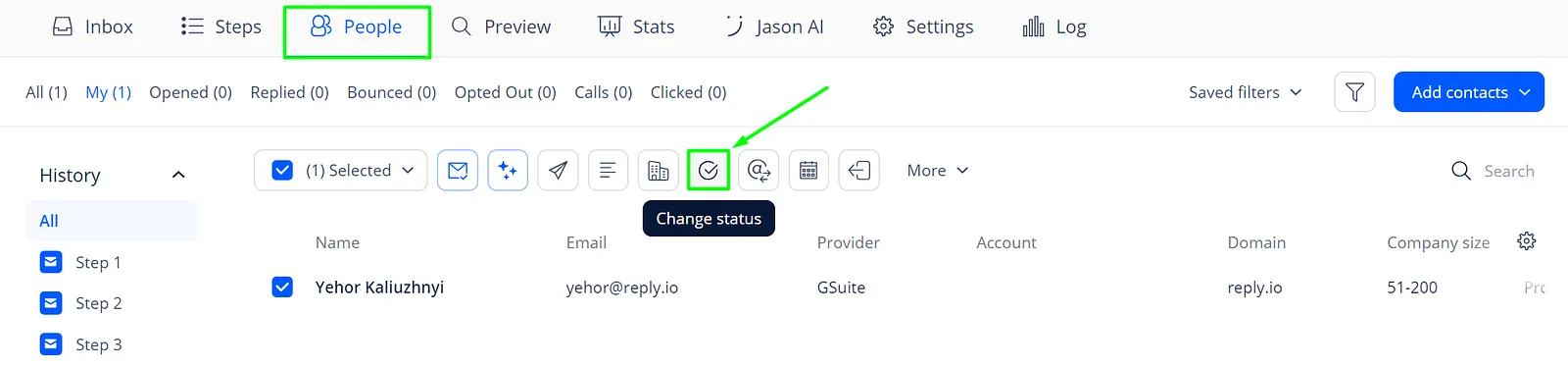
- Go to the People tab of your campaign;
- Select contacts;
- Click on the Change Status icon:
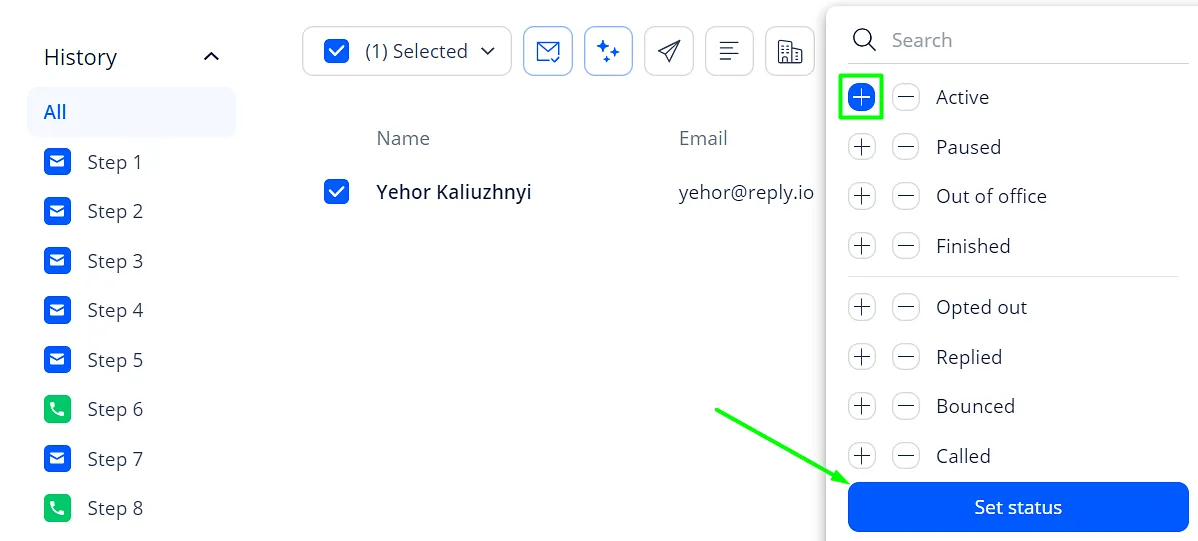
- Click + (plus) next to Active;
- Save the changes and it is done:
This is it! If you face any errors or need help with the statuses, feel free to message our Support team in chats or email them at [email protected].