If you have a CSV file with the contacts you want to blacklist, this article will help you figure the steps out. Here is what you need to do👇
- Create a new list on the People page:
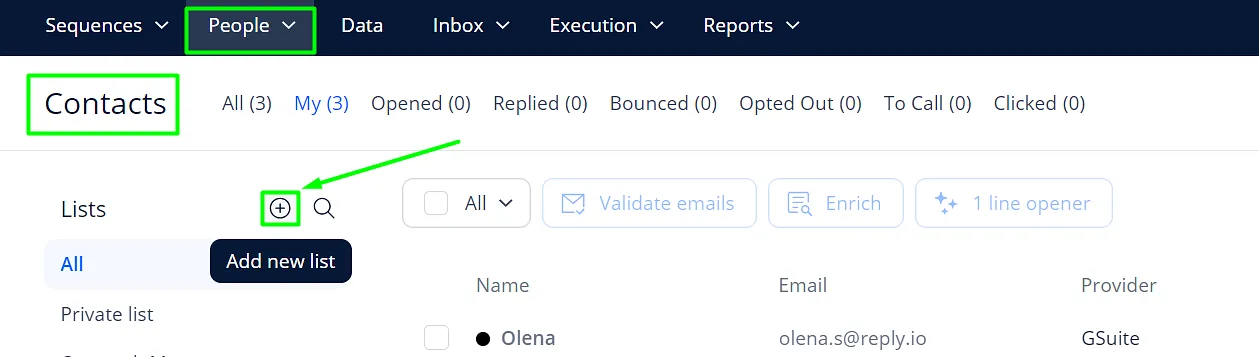
- Click on the Add Contact button;
- Choose Import from CSV:

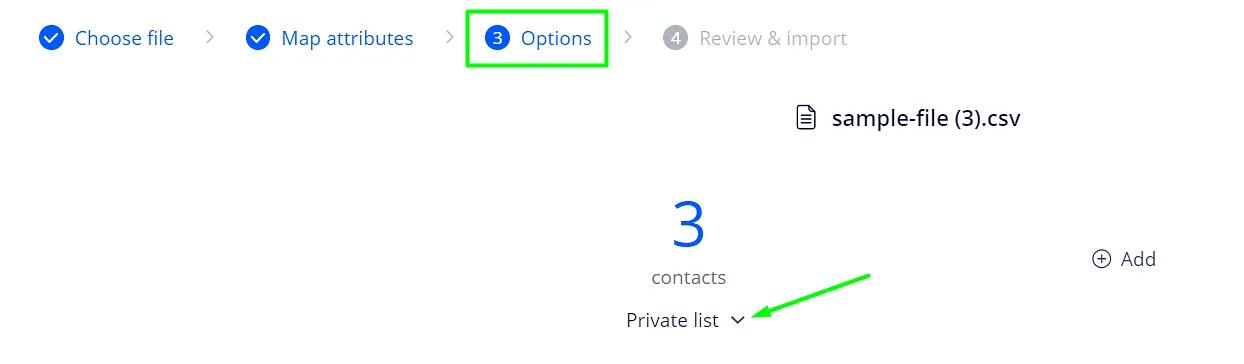
- Upload the file, map the fields;
- Pick the list on the Options tab:
Once the contacts are uploaded to the list, you can start blacklisting them. These are the steps you need:
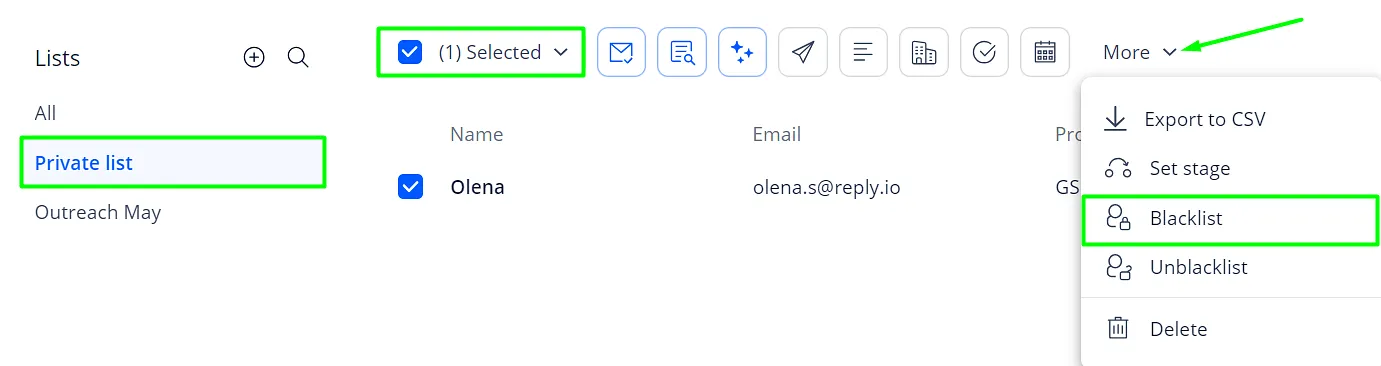
- Select the contacts in the list;
- Click More to expand the drop-down menu;
- Choose Blacklist:
- Pick whether you want to blacklist the contacts or the whole domain:
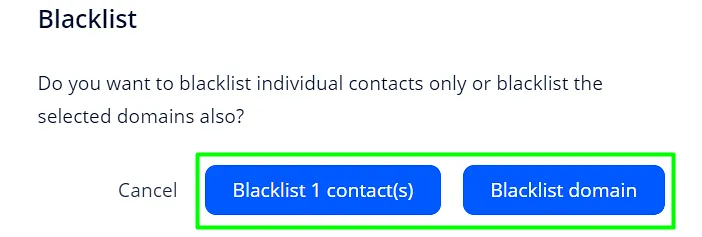
And done! The contacts are blacklisted which means we will not be sending any sequence emails to them.