In Reply, you can connect your Google Calendar to let prospects book meetings based on your availability.
How it works
Once your calendar is connected, Reply generates a public meeting link that you can share directly or add to your sequence emails. Prospects can use the link to choose an available time slot and confirm the meeting.
On your side
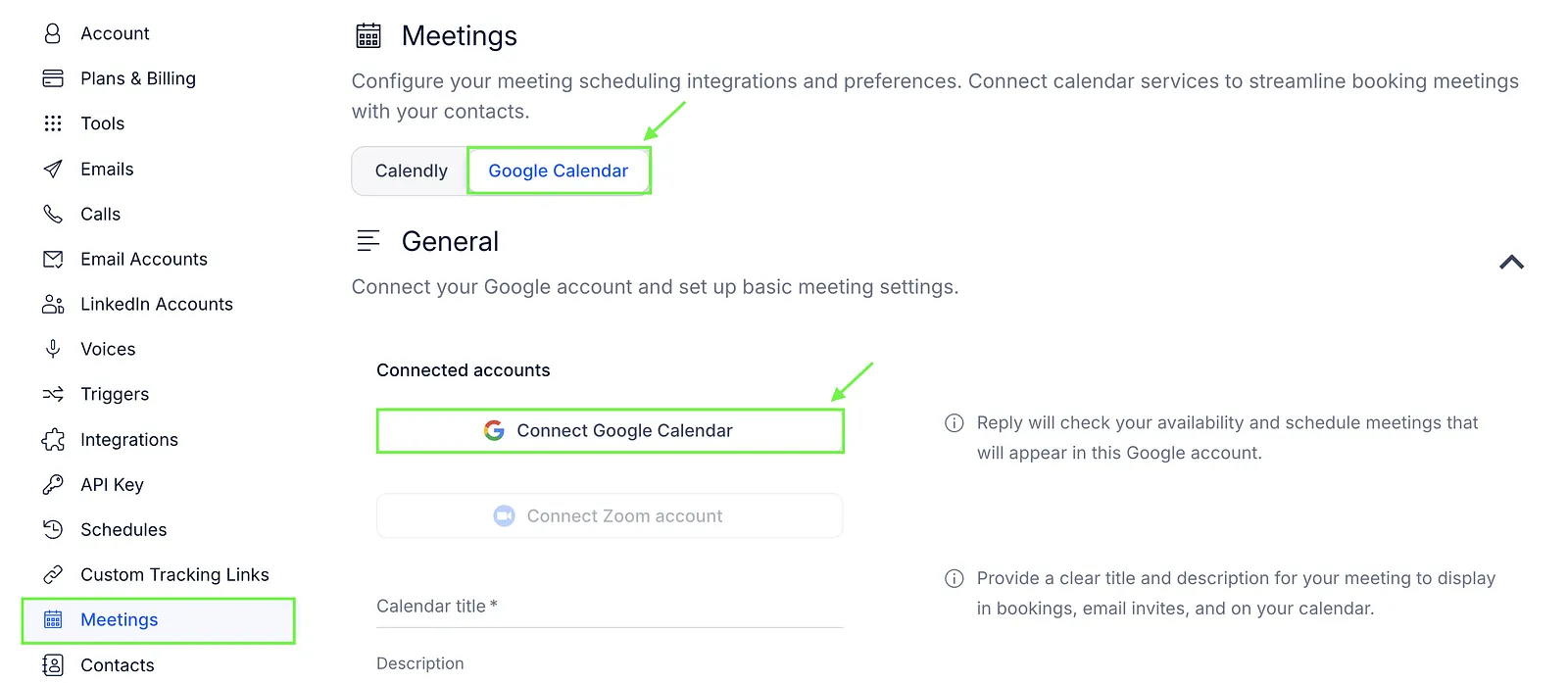
To use meeting booking with Google Calendar, you first need to connect your calendar.
- Go to Settings → Meetings.
- Switch to the Google Calendar tab.
- Click Connect Google Calendar.
- Select your time zone.
- Enter the meeting title and description.
- Choose the meeting duration.
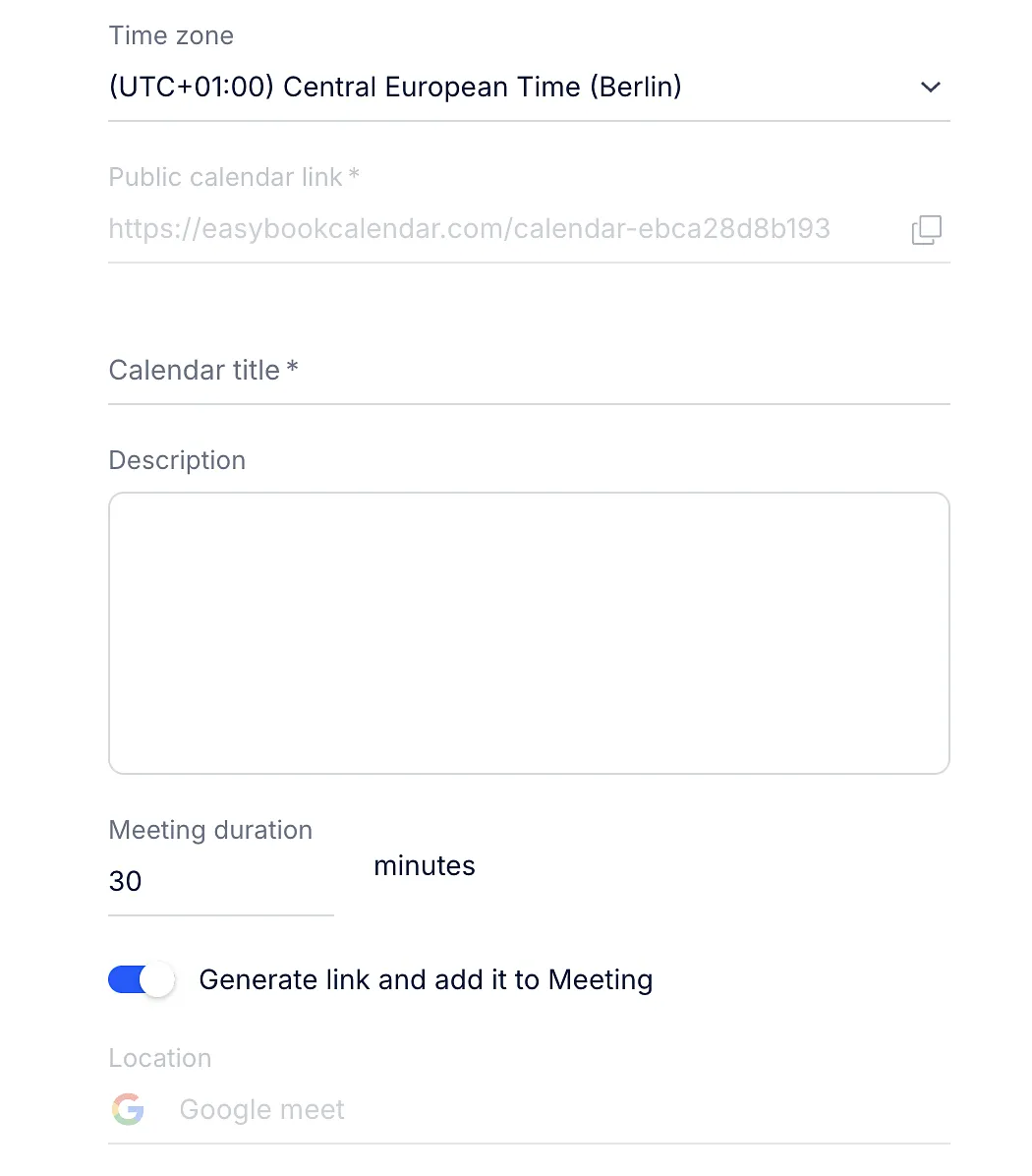
Once the calendar is connected, Reply generates a public meeting link based on your Google Calendar availability.
After connecting Google Calendar, you can share the meeting link with prospects.
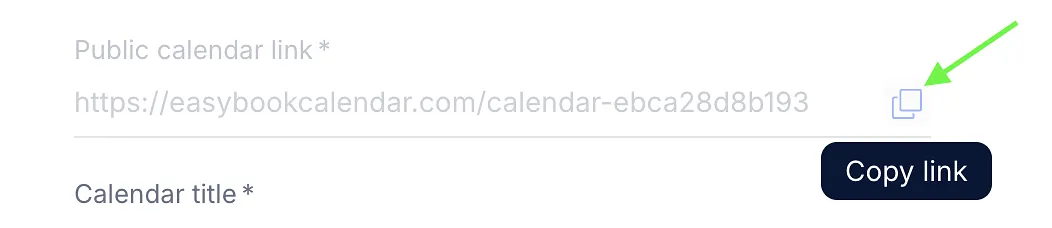
- You can copy the link from the Public calendar link field and send it directly.
- You can also add the link to your sequence emails. To do this, add an email step and select the Book meeting link button in the editor.
 Enter the text to be displayed and click Insert.
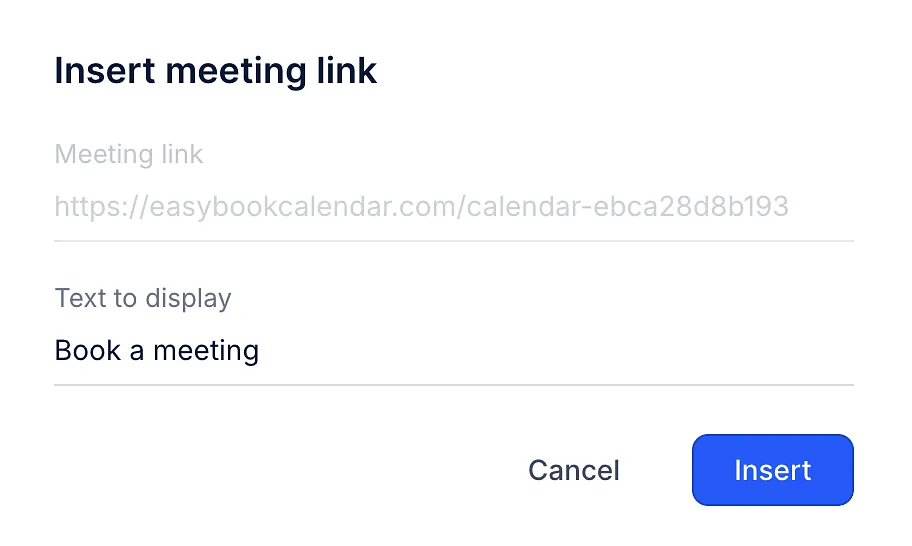
The meeting link is personalized. If available, the prospect's name, email address, and phone number are pre-filled.
On your prospects' side
When a prospect opens the meeting link, they see available time slots from your Google Calendar.
They need to:
- Choose a date and time.
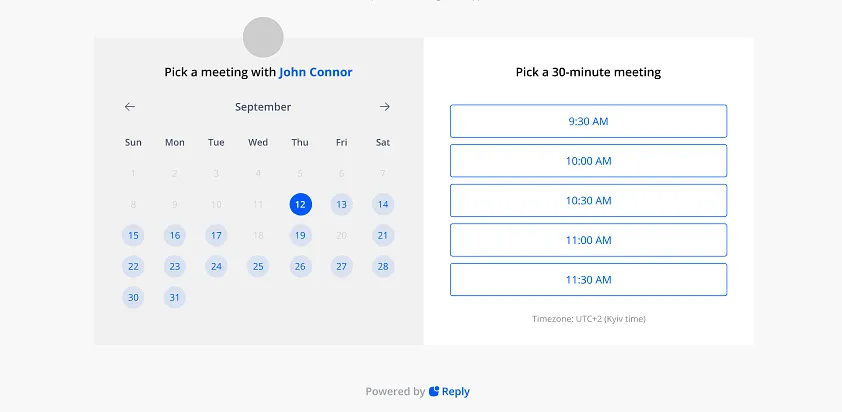
- Review or enter their contact details if not pre-filled.
- Confirm the meeting.
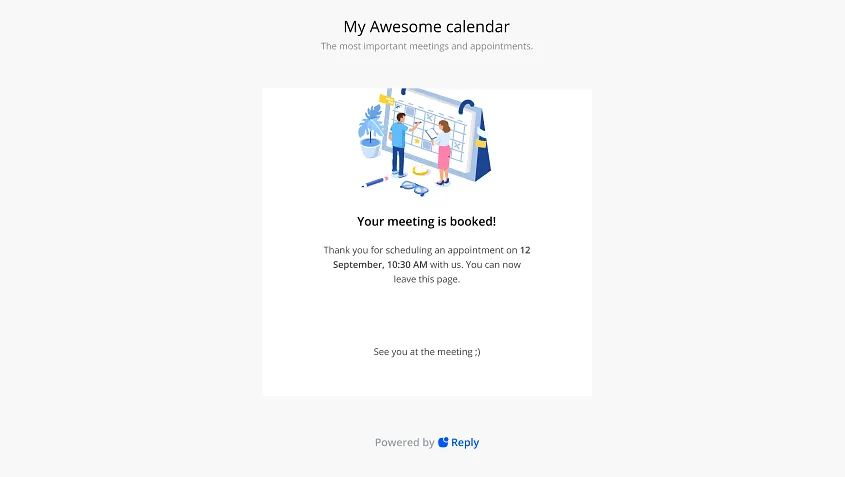
After confirmation, both you and the prospect receive an email with the meeting details. A reminder is also sent 15 minutes before the call.
Advanced settings
In the Availability section, you can choose the days and hours when you're available for meetings. Reply will show prospects the available time slots within this range.
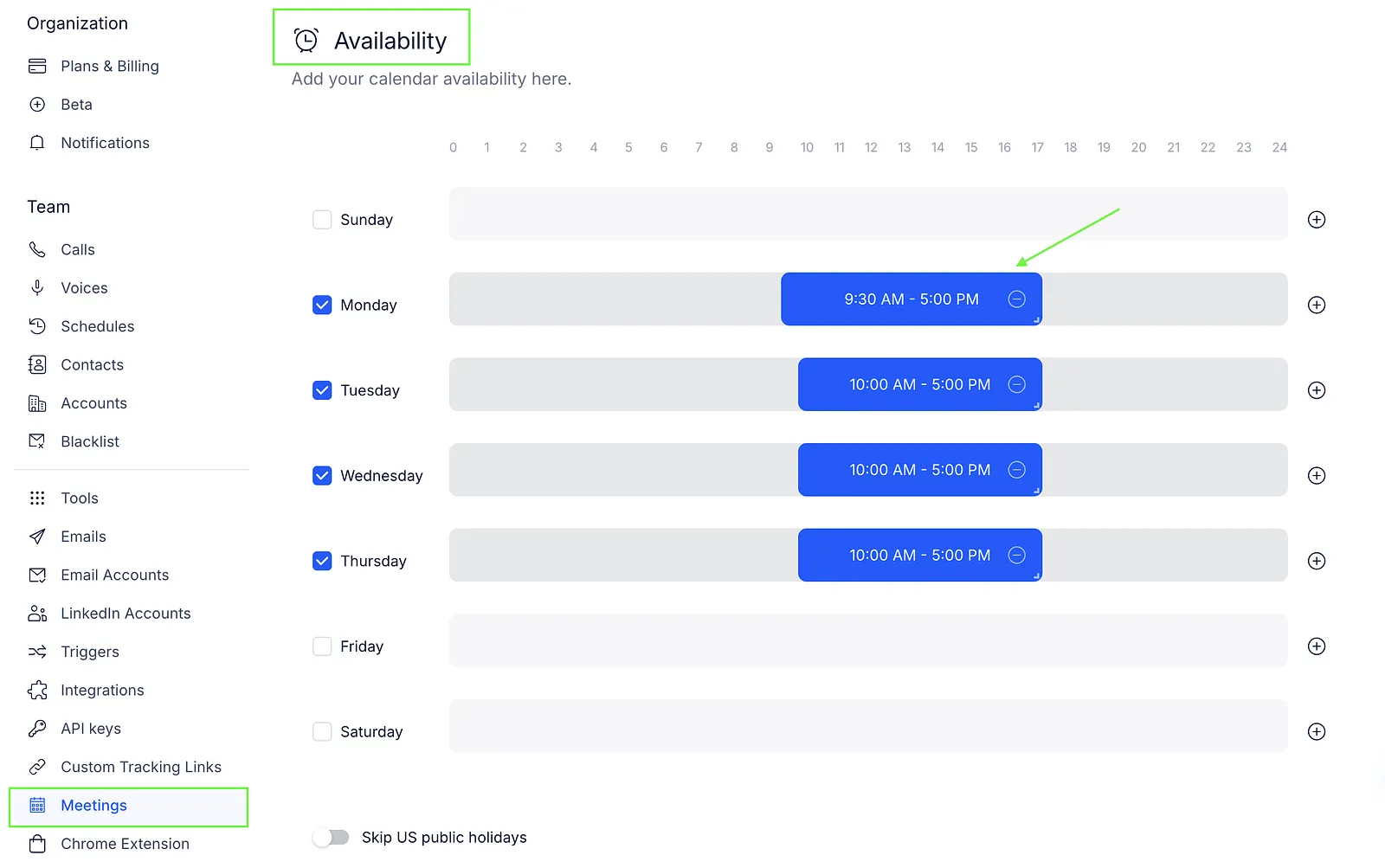
By default, Reply doesn't skip US holidays. You can turn on the corresponding toggle if you want to exclude them from your schedule.

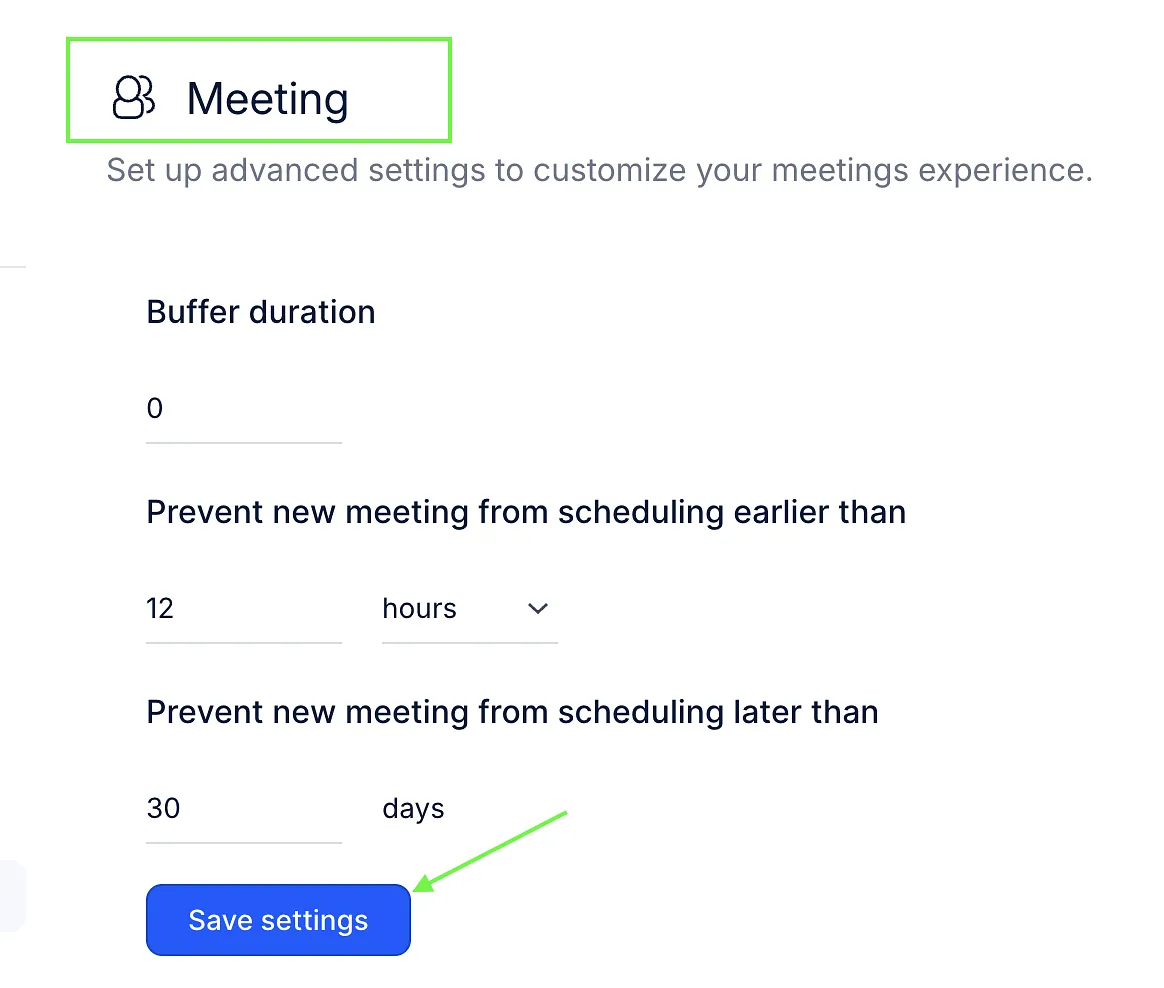
In the Meeting section, you can also configure the following options:
- Buffer duration: You can set the time between meetings to take a break or prepare for the next call.
- Prevent new meeting scheduling earlier than: You can set how soon before a meeting prospects can book it.
- Prevent new meeting scheduling later than: You can set how far in advance prospects can book a meeting.
Once a meeting is booked, Reply updates the contact's status to Meeting booked.