You can purchase pre-warmed domains and mailboxes in Reply and start sending outreach right away, without waiting for a warm-up period. Each pre-warmed domain comes as a fixed bundle with 3 mailboxes that have already been warmed up for at least 3 weeks.
How to purchase
To buy a pre-warmed domain:
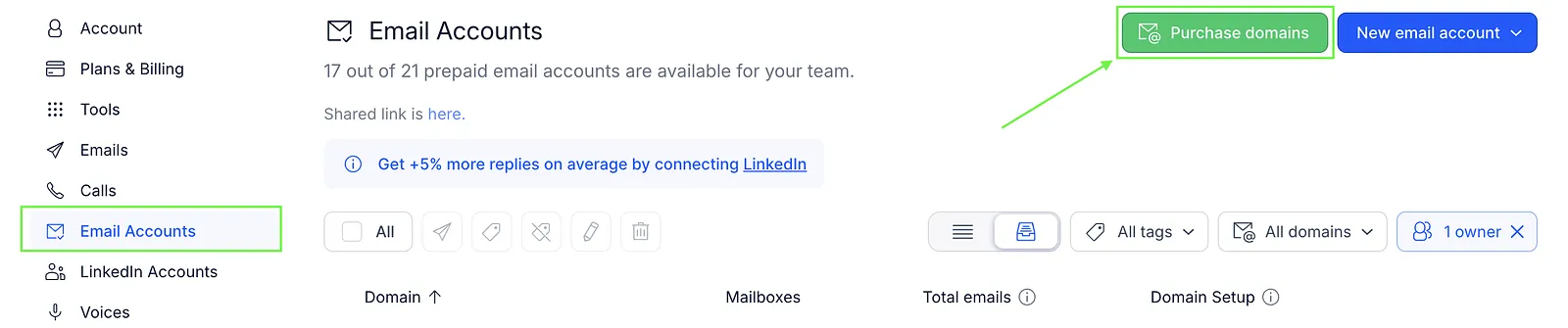
- Go to Settings → Email Accounts.
- Click Purchase domains.
- Fill in your details.
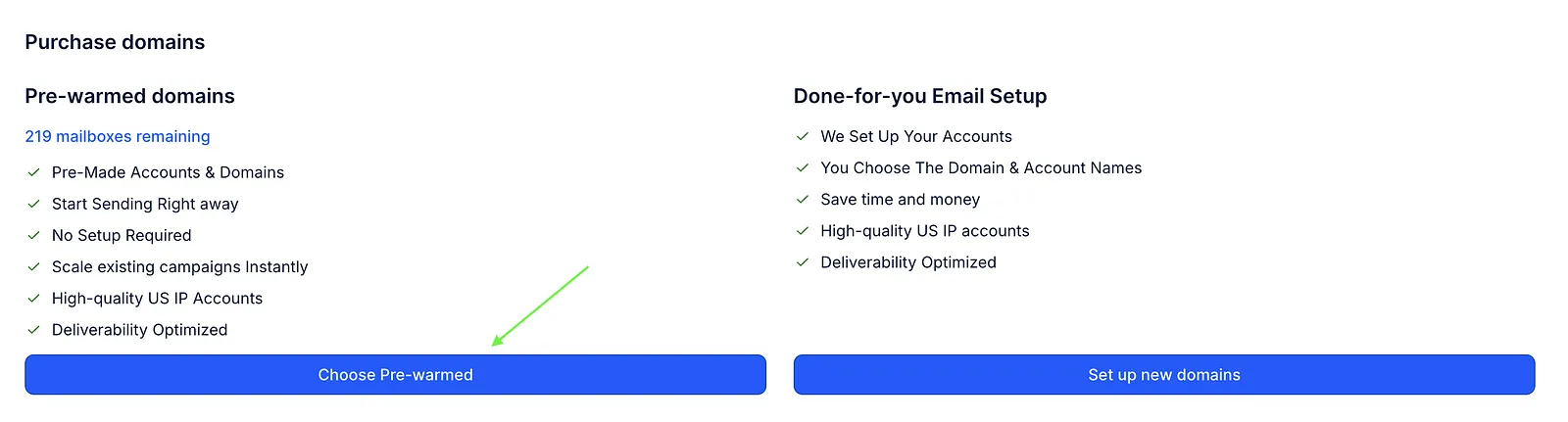
- Select the Pre-warmed option.
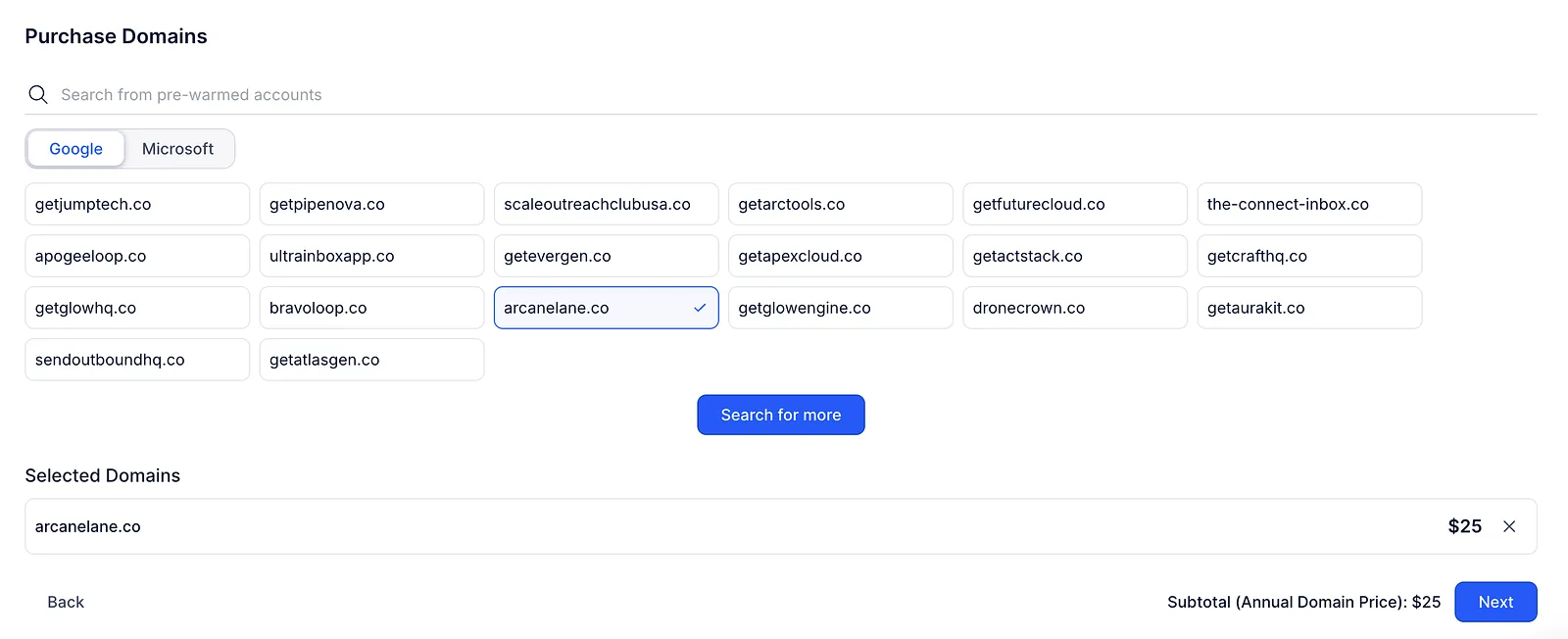
- Choose the provider (Google or Microsoft) and an available domain.
- (Optional) Set up your website redirection.
- Click Buy selected to complete the purchase.
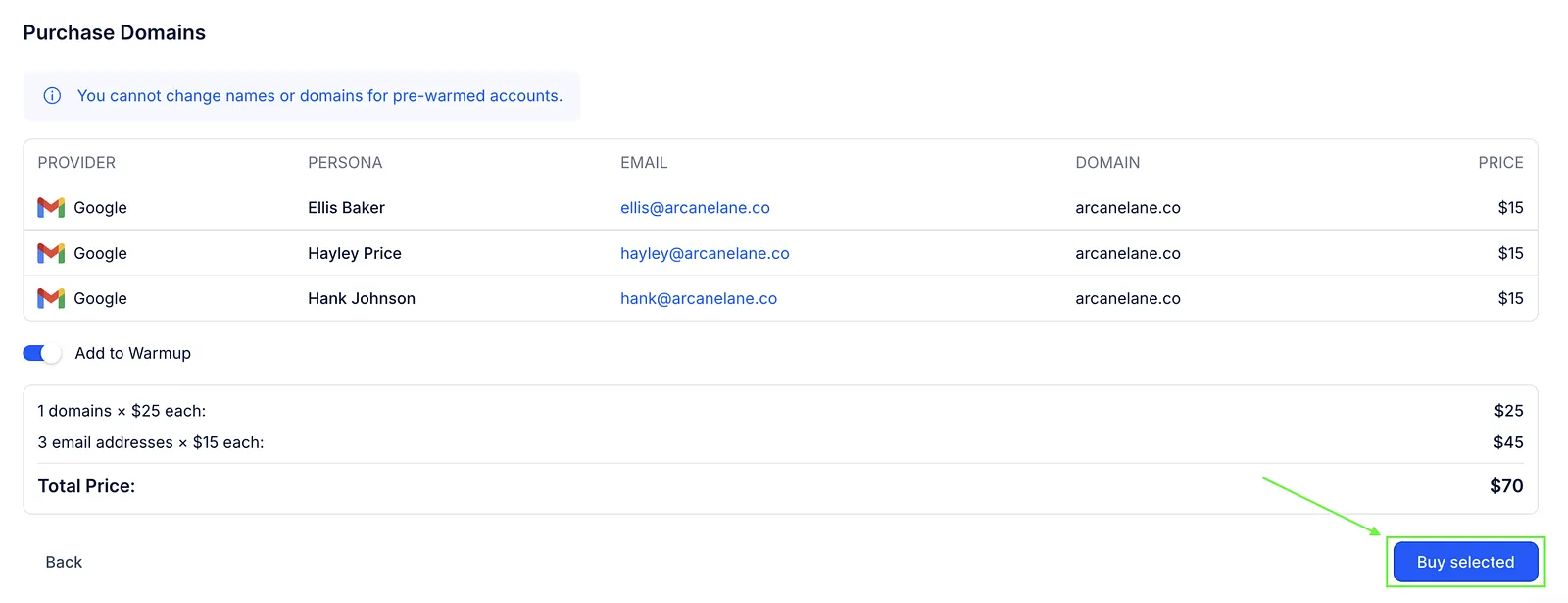
Once the purchase is complete, the domain and mailboxes are automatically added to your account and are ready to use. By default they are also added to MailToaster for continued warm-up to maintain deliverability. To skip this, turn off Add to Warmup at checkout. (The switch isn't shown on every plan.)
💡Important: The domain and mailbox names are predefined and can't be changed or customized.
Domain availability is limited and changes over time as new domains are warmed up and added back to the pool. Microsoft domains may also be temporarily unavailable due to high demand.
Pricing
Pre-warmed domains cost:
- $25 per domain per year
- $15 per mailbox per month (3 mailboxes per domain)
👉 If you want to purchase regular domains or mailboxes, see the Buying domains & mailboxes article.